Image coming soon
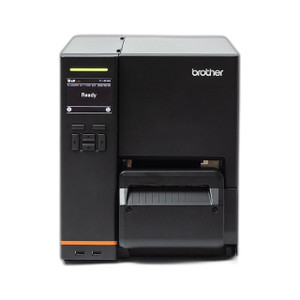
Product images are provided for reference and may not represent the exact model, configuration, or included components.

No Bots, Just Experts

Questions about this product? Free pre-sales support from a senior specialist — product questions, compatibility checks, BOM quotes, price confirmation — typically answered within one business day. Need camera placement or system design work? Engineering time is $175 per hour (qty 1 = 1 hour). Hardware buyers get up to one hour ($175) credited back on their order.

Description

Brother PA-CU-007 Auto Cutter Kit

Overview

The Brother PA-CU-007 is an automatic cutter kit designed to enhance the functionality of specific Brother desktop label printers. This accessory automates the cutting process for printed labels, streamlining workflows in environments where high-volume label printing is standard. By providing a clean, precise cut after each label or batch, it reduces manual intervention and speeds up the overall printing operation. This is particularly beneficial for warehouse operations, retail inventory management, or any application requiring rapid, consistent label output. The PA-CU-007 model integrates directly with compatible Brother printers to deliver this automated cutting capability.

Compatibility

This auto cutter kit is specifically designed for use with the following Brother desktop label printers: TD2320D, TD2350D, and TD2350DSA. Ensure your printer model is listed to confirm compatibility. It is not compatible with other Brother printer series or third-party devices.

Installation Notes

Installation involves physically attaching the cutter unit to the designated port on the compatible Brother printer. Refer to the printer's user manual for detailed instructions on connecting and configuring the auto cutter. Proper alignment is critical for reliable operation. The unit requires no separate power source, drawing power from the printer itself.

What's in the Box

  • 1x PA-CU-007 Auto Cutter Kit
Specifications
Overview: AUTO CUTTER KIT (FOR USE WITH TD2320D, TD2350D & TD2350DSA DESKTOP PRINTERS)
Q&A
Reviews

Brother Auto Cutter KIT (for USE with TD2320D TD2350D & TD2350DSA Desktop Printers) - PA-CU-007

$226.00
$225.99

RELATED PRODUCTS

Save $144.01
Brother PA-CU-004 Auto Cutter Kit for Label Printers (view 3)
Add to Cart The item has been added

Brother PA-CU-004

Brother PA-CU-004 Auto Cutter Kit for Label Printers

Inline auto cutter for Brother label printers—high-volume finishing

  • Mounts to Brother TJ-series accessory interface for inline label cutting without manual separation.
  • Compatible with TJ4010TN, TJ4020TN, TJ4120TN, TJ4021TN, and TJ4121TN printer models.
  • Compact 7.30" × 5.00" × 9.50" footprint fits constrained inline production and label finishing setups.
Usually Ships in 2-3 Weeks Free shipping over $499
$605.00 $460.99 Save $144.01
The item has been added Add to quote
$605.00 $460.99 Save $144.01
Save $144.01 Add to cart Add to quote
Save $204.01
Brother PA-CU-005 Auto Cutter Kit for Industrial Label Printers (view 8)
Add to Cart The item has been added

Brother PA-CU-005

Brother PA-CU-005 Auto Cutter Kit

Automatic label cutting for Brother TJ-series industrial printers

  • Automates inline label separation on TJ4420TN, TJ4520TN, and TJ4620TN printers.
  • Bolt-on installation requires no firmware updates or additional drivers to deploy.
  • Compact kit at 3.15 lbs fits existing media path without reconfiguring your print workflow.
Usually Ships in 2-3 Weeks Free shipping over $499
$858.00 $653.99 Save $204.01
The item has been added Add to quote
$858.00 $653.99 Save $204.01
Save $204.01 Add to cart Add to quote

System Design, Deployment & Technical Support

Support services and planning resources for commercial surveillance, access control, and infrastructure deployments.

Fixed scope • Fixed price

System Design Assistance

  • Get help validating product compatibility
  • Coverage requirements
  • Storage planning and deployment architecture before you buy.
Request Design Help

Deployment & Configuration Support

  • Access fixed-scope support for rollout planning
  • User setup guidance
  • Migration and system standardization across single-site or multi-site deployments
View Support Services

Guides, Tools & Calculators

  • PoE requirements
  • Storage retention
  • Camera selection and deployment methodology
Open Technical Resources