StarTech TB31PCIEX16 Thunderbolt 3 PCIe x16 Expansion Chassis
Overview
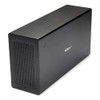
The StarTech TB31PCIEX16 is a Thunderbolt 3 PCIe expansion chassis that adds a full-length x16 mechanical slot and a DisplayPort output to any Thunderbolt 3-equipped Mac or Windows workstation — without opening the host machine. If your workflow demands a dedicated capture card, GPU, frame grabber, or high-speed storage controller that simply won't fit in an ultrabook or NUC chassis, this box provides the expansion lane you need over a single cable. The Intel JHL6340 chipset drives the connection at up to 40 Gbps, giving you 3.94 GB/s of usable bandwidth — enough headroom for demanding PCIe 3.0 workloads that would saturate a Thunderbolt 2 link. For security integrators pairing high-throughput IP cameras with a compact workstation-class VMS host, this chassis removes the slot-count barrier that compact PCs impose.
Key Features
- 40 Gbps Thunderbolt 3 Backbone: The TB31PCIEX16 connects via Thunderbolt 3 at 40 Gbps — translating to 3.94 GB/s of PCIe bandwidth. That's enough for a mid-range GPU or a multi-port 10GbE NIC without hitting a data ceiling mid-session. A single TB3 cable carries both PCIe data and DisplayPort signal simultaneously, so you're not trading display connectivity for expansion capacity.
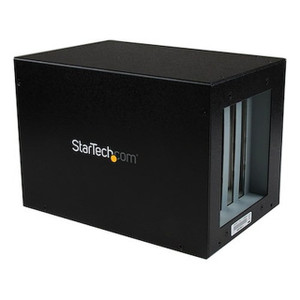
- PCIe 3.0 x16 Slot (x4 Electrical): The slot is mechanically x16, accepting full-length, full-height cards up to 8 inches long. Electrically it runs at x4, which is the honest limitation to understand before spec'ing a high-bandwidth GPU — compute cards and capture cards that saturate x4 lanes will hit a ceiling. For most capture, networking, and storage use cases, x4 at PCIe 3.0 is more than sufficient.
- 25W PCIe Slot Power + 30W LP4 Auxiliary: The slot delivers 25W to the installed card, with an additional 30W available via the LP4 connector for cards with supplemental power requirements. The internal 65W power supply (100–240V AC input, 12V DC at 5.417A output) handles the math — no external power brick required for the card itself in typical deployments.
- Dual Thunderbolt 3 Ports: Two TB3 ports let you daisy-chain a second Thunderbolt device downstream without breaking the chain. Connect a Thunderbolt 3 dock or NVMe drive array to the second port and keep your host machine's TB3 ports free for other peripherals — useful when your compact PC only ships with one or two TB3 ports total.
- Dedicated DisplayPort Output: The chassis exposes a DisplayPort output independent of the PCIe slot, giving you an additional display output from the Thunderbolt 3 connection. Useful for adding a second monitor to a thin client or NUC without consuming a PCIe card slot for graphics.
- 60mm Active Cooling Fan: A 60mm fan moves 14.06 CFM of airflow across installed cards, keeping thermals in check for cards that run warm under continuous load. At 24.55 dB(A), noise is low enough for an office or control room environment — not silent, but well within acceptable range for enclosed AV or security operations center racks.
- Aluminum and Steel Enclosure: The chassis is built from aluminum and steel rather than plastic — relevant for deployments where the unit lives on a desk or shelf in an operations environment and handles daily use without flex or rattle.
- macOS and Windows Compatibility: Both platforms are supported natively. No driver installation is required for the chassis itself — the Thunderbolt 3 connection is handled at the OS level. Individual PCIe cards still require their own drivers as normal.
Integration and Compatibility
The TB31PCIEX16 connects to any host with a Thunderbolt 3 port using the included 19.7-inch Thunderbolt 3 cable. The Intel JHL6340 chipset is the same controller used across a broad range of Thunderbolt 3 peripherals, with strong driver support on both macOS and Windows 10/11. Cards that draw more than 25W from the slot will need to use the LP4 auxiliary connector — confirm your card's TDP before installing. Operating temperature range is 5°C to 35°C, which means this is an indoor, climate-controlled environment device; it is not rated for unheated server rooms or outdoor enclosures. For network video recorders or VMS workstations where you need to add a dedicated storage controller or 10GbE NIC to a compact host, this chassis handles that expansion cleanly. Pair it with a PoE network switch at the rack level and the TB3 chassis handles the host-side PCIe expansion while the switch handles camera-side power and bandwidth.
For buyers evaluating storage and VMS architecture, the surveillance system planning guide covers how to size PCIe bandwidth for NVR workloads — relevant when deciding whether x4 electrical bandwidth is sufficient for your card selection. If you're adding a capture or frame-grabber card for a video wall application, review that card's PCIe lane requirements against the x4 electrical ceiling before committing.
Frequently Asked Questions
Q: Is the PCIe slot on the TB31PCIEX16 electrically x16 or x4?
A: The slot is mechanically x16 — it accepts full-length x16 cards — but it runs electrically at x4 via the Thunderbolt 3 link. Maximum bandwidth is 3.94 GB/s. High-bandwidth GPUs that fully saturate x16 electrical lanes will be limited; capture cards, NIC cards, and storage controllers typically perform well within the x4 envelope.
Q: What is the maximum card length the TB31PCIEX16 can accommodate?
A: The chassis supports PCIe cards up to 8 inches in length. Full-height cards are supported. Verify your card's physical dimensions before ordering.
Q: How much power does the TB31PCIEX16 deliver to an installed PCIe card?
A: The PCIe slot delivers 25W directly. An additional 30W is available via the LP4 auxiliary power connector on the chassis for cards with supplemental power requirements. The internal power supply is rated at 65W total (12V DC, 5.417A).
Q: Does the TB31PCIEX16 work on both Mac and Windows?
A: Yes. The chassis is compatible with macOS and Windows operating systems on any host equipped with a Thunderbolt 3 port. No additional chassis drivers are required — individual PCIe cards installed in the slot still require their own drivers.
Q: What is the warranty on the TB31PCIEX16?
A: StarTech covers the TB31PCIEX16 with a 2-year manufacturer warranty.
Q: Can the TB31PCIEX16 be used in a server room or unheated environment?
A: The rated operating temperature is 5°C to 35°C. This is an office-grade enclosure intended for climate-controlled environments. It is not suitable for unheated equipment rooms, outdoor enclosures, or industrial temperature ranges.
The TB31PCIEX16 comes up regularly when integrators are deploying VMS workstations on compact mini-PCs or MacBook Pro hosts and hit the wall on internal expansion slots. The x4 electrical bandwidth ceiling — 3.94 GB/s over Thunderbolt 3 at 40 Gbps — is the single most important spec to verify before recommending this chassis to a customer. Most capture cards, 10GbE NICs, and SAS storage controllers fit comfortably inside that envelope; high-performance compute GPUs do not.
Technical Highlights:
- Intel JHL6340 Chipset: Proven Thunderbolt 3 controller with broad OS-level support on both macOS and Windows — reduces integration friction compared to lesser-known chipsets that require manual driver management.
- Dual TB3 Ports at 40 Gbps: The second downstream port lets you extend the Thunderbolt chain to a storage array or dock without sacrificing a host port — practical when the host machine only has two TB3 ports and both are needed.
- 55W Combined Card Power (25W slot + 30W LP4): Most single-slot cards in the capture and networking category draw well under 25W, but the LP4 auxiliary connector covers edge cases without requiring a secondary external supply.
Deployment Considerations:
- The 8-inch card length limit rules out some full-length double-wide GPU cards — measure your card before spec'ing the chassis into a proposal. The 60mm fan at 24.55 dB runs continuously, so placement in a quiet interview room or executive office deserves a note in the site survey.
- Operating temperature tops out at 35°C — this is not the right unit for an IDF closet or equipment room that runs warm. If the deployment environment doesn't have HVAC, look at a rack-mount PCIe expansion unit rated for wider thermal ranges.
Best fit: a VMS workstation built on a Thunderbolt 3 compact PC (Intel NUC, Mac mini, or similar) where the integrator needs to add a dedicated frame-grabber or multi-port NIC without replacing the host hardware — keeps the project on budget while keeping the host platform the customer already manages.