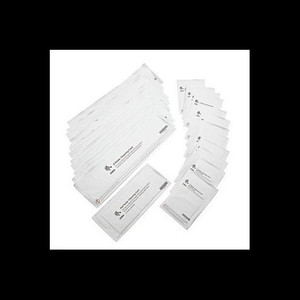
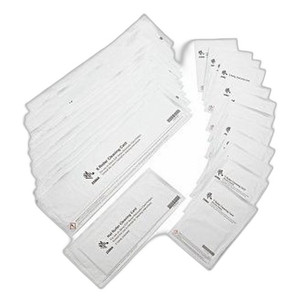
Product images are provided for reference and may not represent the exact model, configuration, or included components.

Overview

SKU: 105999-705
UPC: 9999999999999
Condition: New
Write a Review 0% OFF

Zebra Abrasive Printhead Polishing Card FOR ZXP Series 7 - 105999-705

Zebra 105999-705 Abrasive Printhead Polishing Card Overview The Zebra 105999-705 is an abrasive printhead polishing card designed to maintain optimal …

$65.00 $64.99 SAVE $0
Ships same business day
In stock

Quantity:

Adding to cart… The item has been added
Compatibility guidance available for your deployment
Senior specialists for pre and post-sales support
Authorized sourcing and documentation support
Shipping and lead-time confirmation before install

Laura Bennett, IPSD Senior Specialist

Talk to Laura

200+ hrs training • U.S - based

Senior Specialist • 877-277-7147

Zebra Abrasive Printhead Polishing Card FOR ZXP Series 7 - 105999-705

$65.00
$64.99

Overview

SKU: 105999-705
UPC: 9999999999999
Condition: New

No Bots, Just Experts

Questions about this product? Free pre-sales support from a senior specialist — product questions, compatibility checks, BOM quotes, price confirmation — typically answered within one business day. Need camera placement or system design work? Engineering time is $175 per hour (qty 1 = 1 hour). Hardware buyers get up to one hour ($175) credited back on their order.

Description

Zebra 105999-705 Abrasive Printhead Polishing Card

Overview

The Zebra 105999-705 is an abrasive printhead polishing card designed to maintain optimal print quality on Zebra ZXP Series 7 card printers. By removing debris and residue that can accumulate on the printhead, this card helps prevent print defects such as streaks, smudges, and missing dots. It's a critical maintenance item for ensuring consistently clear and crisp card output in environments like access control, ID badging, and loyalty programs.

Compatibility

This polishing card is specifically designed for use with the Zebra ZXP Series 7 card printers. It is not compatible with other Zebra printer models or competitive card printer brands.

Installation Notes

Use one card per cleaning cycle as recommended by the Zebra ZXP Series 7 printer manual. Insert the card into the printer's card input slot and initiate the cleaning cycle via the printer's control panel or software interface. Follow manufacturer guidelines for frequency to maximize printhead lifespan.

What's in the Box

  • 1x Zebra 105999-705 Abrasive Printhead Polishing Card

Q&A
Reviews
Have Questions?

RELATED PRODUCTS

Zebra 105999-310-01 Printer Cleaning Card Kit
Add to Cart The item has been added

Zebra

SKU: 105999-310-01

Zebra 105999-310-01 Printer Cleaning Card Kit

Two-card cleaning kit for Zebra ZC100/ZC300 card printers

  • Cleans print head and feed path to maintain output quality without disassembly
  • Two cards per kit for routine maintenance on thermal and dye-sublimation printers
  • Extends printer life by removing dust and residue that degrades performance
$15.00 $14.99 Save $0.01
The item has been added
Free shipping over $499
$15.00 $14.99 Save $0.01
Add to cart Add to quote
Zebra 105999-311-01 Printer Cleaning Card Kit
Add to Cart The item has been added

Zebra

SKU: 105999-311-01

Zebra 105999-311-01 Printer Cleaning Card Kit

5-pack cleaning cards for Zebra ZC100/ZC300 card printers

  • 5 single-use cards per kit maintain thermal print head performance
  • Removes dust and adhesive residue to prevent print quality loss
  • OEM consumable designed for routine maintenance in high-volume environments
$26.50 $25.99 Save $0.51
The item has been added
Free shipping over $499
$26.50 $25.99 Save $0.51
Add to cart Add to quote

System Design, Deployment & Technical Support

Support services and planning resources for commercial surveillance, access control, and infrastructure deployments.

Fixed scope • Fixed price

System Design Assistance

  • Get help validating product compatibility
  • Coverage requirements
  • Storage planning and deployment architecture before you buy.
Request Design Help

Deployment & Configuration Support

  • Access fixed-scope support for rollout planning
  • User setup guidance
  • Migration and system standardization across single-site or multi-site deployments
View Support Services

Guides, Tools & Calculators

  • PoE requirements
  • Storage retention
  • Camera selection and deployment methodology
Open Technical Resources