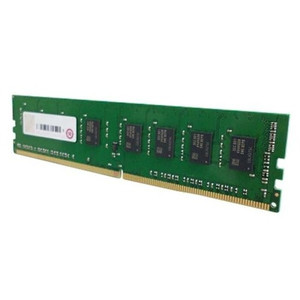
QNAP RAM-8GDR4A0-SO-3200 8GB DDR4 SODIMM Memory Module
Overview
The QNAP RAM-8GDR4A0-SO-3200 is an 8GB DDR4 memory module running at 3200 MHz in a SODIMM form factor, designed to expand system RAM in compatible QNAP NAS devices. Adding verified memory to a NAS is not trivial — mismatched DIMMs can cause instability under sustained I/O load, particularly in always-on network-attached storage environments. Using a QNAP-validated module removes that variable and ensures the NAS firmware recognizes the full capacity without requiring manual memory remapping. SODIMM packaging is standard for compact NAS enclosures where full-size UDIMM slots are not an option — confirm your enclosure uses SODIMM slots before ordering RAM-8GDR4A0-SO-3200.
Compatibility
This module is sourced from QNAP's own accessory line for NAS memory upgrades. SODIMM DDR4 slots are common across QNAP's mid-range and prosumer tower and rackmount NAS families. Before installing, verify your specific NAS model against QNAP's memory compatibility list — slot count, maximum addressable RAM per slot, and dual-channel pairing rules vary by model. QNAP NAS units that ship with SODIMM DDR4 slots and support 3200 MHz operation are the correct target; units limited to DDR3 or requiring ECC RAM are not compatible. If your NAS currently ships with a 4GB SODIMM, this 8GB module can serve as a straight replacement or be paired in a second slot to reach 16GB in dual-channel configurations where supported.
Installation Notes
Power down the NAS fully and disconnect from power before accessing the memory bay. Ground yourself before handling the module — static discharge can damage SODIMM contacts. Seat the module at the correct angle (typically 45°) and press flat until the retention clips engage on both sides. After installation, boot the NAS and confirm detected memory in the system information panel before returning the unit to production. Refer to QNAP's hardware user guide for your specific model for bay access instructions, as enclosure designs vary across NAS memory upgrade procedures.