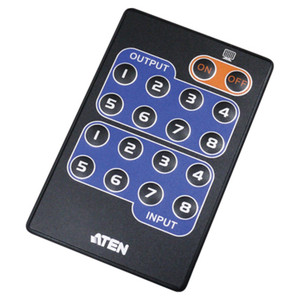
Product images are provided for reference and may not represent the exact model, configuration, or included components.

Overview

SKU: 2XRT-0019G
UPC: 672792013348
Condition: New
Write a Review 0% OFF

ATEN 8-BUTTON Remote Port Selector (6FT.) - FOR USE With ALL PP 4.0 Models Only - 2XRT-0019G

ATEN 2XRT-0019G 8-Button Remote Port SelectorOverviewThe ATEN 2XRT-0019G is a dedicated remote port selector designed to work with ATEN PP 4.0 series …

$133.00 $132.99 SAVE $0
Ships same business day
In stock

Quantity:

Adding to cart… The item has been added
Compatibility guidance available for your deployment
Senior specialists for pre and post-sales support
Authorized sourcing and documentation support
Shipping and lead-time confirmation before install

Laura Bennett, IPSD Senior Specialist

Talk to Laura

200+ hrs training • U.S - based

Senior Specialist • 877-277-7147

ATEN 8-BUTTON Remote Port Selector (6FT.) - FOR USE With ALL PP 4.0 Models Only - 2XRT-0019G

$133.00
$132.99

Overview

SKU: 2XRT-0019G
UPC: 672792013348
Condition: New

No Bots, Just Experts

Questions about this product? Free pre-sales support from a senior specialist — product questions, compatibility checks, BOM quotes, price confirmation — typically answered within one business day. Need camera placement or system design work? Engineering time is $175 per hour (qty 1 = 1 hour). Hardware buyers get up to one hour ($175) credited back on their order.

Description

ATEN 2XRT-0019G 8-Button Remote Port Selector

Overview

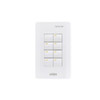
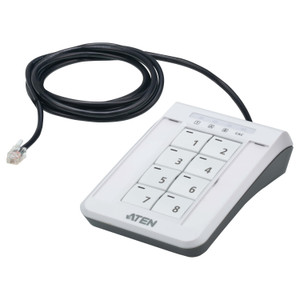
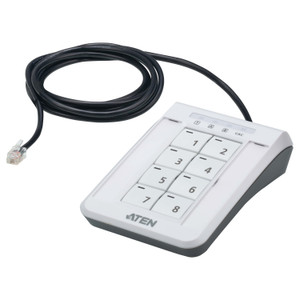
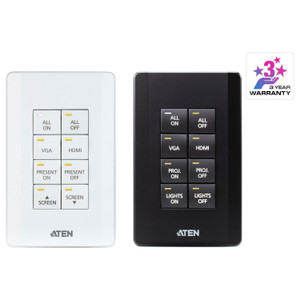
The ATEN 2XRT-0019G is a dedicated remote port selector designed to work with ATEN PP 4.0 series rack KVM switches, giving operators direct push-button port switching from a convenient front-panel or desk position without reaching the switch chassis. The 2XRT-0019G connects via an included 1.8 m (approximately 6 ft) RJ-11 cable — long enough to position the selector at the front of a rack or on an adjacent work surface, eliminating the need to access the switch's own port buttons during routine operations. This is a hardware-only add-on for installations where the KVM switch is mounted out of easy reach, such as a mid-rack or top-of-rack position in a dense equipment bay.

Compatibility

The 2XRT-0019G is exclusively compatible with ATEN PP 4.0 series KVM switches. It is not a universal remote selector and will not function with earlier PP-series models or non-PP ATEN KVM product lines. Verify your switch carries the PP 4.0 designation before ordering — the product line includes rack-mount ATEN KVM switches sold under the PP 4.0 platform; consult the ATEN switch datasheet for the remote-port-selector connector specification to confirm. It interfaces via RJ-11 link, so any PP 4.0 model that exposes an RJ-11 remote-selector port is supported.

Installation Notes

Power draw is minimal — 5V at 0.17A (0.85W) — sourced directly from the connected KVM switch, so no external power supply is required. The 8 selector buttons correspond to port positions on the switch; a 3-position green key lock prevents accidental port changes, useful in shared-access or unattended rack environments. Operate within 0–80% relative humidity (non-condensing); standard controlled data-center and equipment-room conditions meet this requirement without additional precautions. Route the RJ-11 cable along the rack frame to avoid pinch points at cable managers. No tools are required for the selector itself — it mounts or positions per the PP 4.0 chassis instructions for the remote-selector attachment point.

Specifications
Mount Type: Rack
Link: RJ-11
Key Lock: 3 (Green)
Cable Length: 1.8 m
Maximum Input Power Rating: 5V; 0.17A
Humidity: 0 - 80% RH, Non-condensing
Q&A
Reviews
Have Questions?

RELATED PRODUCTS

System Design, Deployment & Technical Support

Support services and planning resources for commercial surveillance, access control, and infrastructure deployments.

Fixed scope • Fixed price

System Design Assistance

  • Get help validating product compatibility
  • Coverage requirements
  • Storage planning and deployment architecture before you buy.
Request Design Help

Deployment & Configuration Support

  • Access fixed-scope support for rollout planning
  • User setup guidance
  • Migration and system standardization across single-site or multi-site deployments
View Support Services

Guides, Tools & Calculators

  • PoE requirements
  • Storage retention
  • Camera selection and deployment methodology
Open Technical Resources