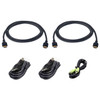
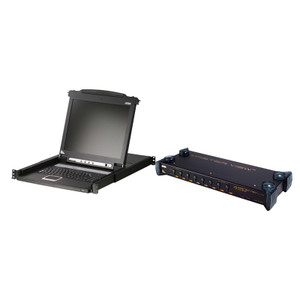
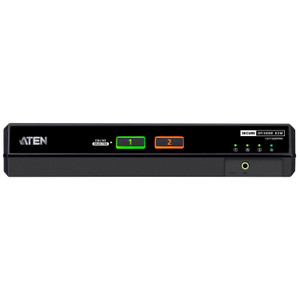
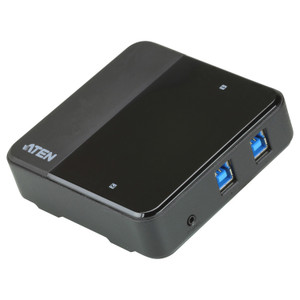
Product images are provided for reference and may not represent the exact model, configuration, or included components.

Overview

SKU: 2L7D02UH21X5
UPC: 672792016912
Condition: New
Write a Review 0% OFF

ATEN 6FT. USB Ultra High-speed HDMI Dual Display Secure KVM Cable KIT - 2L7D02UH21X5

ATEN 2L7D02UH21X5 6ft USB Ultra High-Speed HDMI Dual Display Secure KVM Cable KitOverviewThe 2L7D02UH21X5 is a 6-foot replacement and extension cable …

$79.00 $78.99 SAVE $0
Ships same business day
In stock

Quantity:

Adding to cart… The item has been added
Compatibility guidance available for your deployment
Senior specialists for pre and post-sales support
Authorized sourcing and documentation support
Shipping and lead-time confirmation before install

Laura Bennett, IPSD Senior Specialist

Talk to Laura

200+ hrs training • U.S - based

Senior Specialist • 877-277-7147

ATEN 6FT. USB Ultra High-speed HDMI Dual Display Secure KVM Cable KIT - 2L7D02UH21X5

$79.00
$78.99

Overview

SKU: 2L7D02UH21X5
UPC: 672792016912
Condition: New

No Bots, Just Experts

Questions about this product? Free pre-sales support from a senior specialist — product questions, compatibility checks, BOM quotes, price confirmation — typically answered within one business day. Need camera placement or system design work? Engineering time is $175 per hour (qty 1 = 1 hour). Hardware buyers get up to one hour ($175) credited back on their order.

Description

ATEN 2L7D02UH21X5 6ft USB Ultra High-Speed HDMI Dual Display Secure KVM Cable Kit

Overview

The 2L7D02UH21X5 is a 6-foot replacement and extension cable kit designed for ATEN secure KVM switches that require USB and dual HDMI connectivity. If you are deploying a multi-display secure KVM workstation — common in government, defense, and classified-network environments where physical signal isolation between security domains is mandatory — this kit provides the compliant cabling interface between your peripherals and the KVM unit. Rather than sourcing mismatched cables that may compromise signal integrity or fail interoperability testing at the KVM level, this kit is built specifically for the ATEN ATEN KVM switches dual-display secure product line.

Compatibility

Designed for use with ATEN dual-display secure KVM switches that support USB peripheral input and dual HDMI video output. This cable kit is specific to ATEN's secure KVM switch product families requiring the combined USB plus dual HDMI connector configuration — verify your KVM model's cable kit requirement before ordering, as ATEN secure KVM lines use model-specific cable kits that are not interchangeable across single-display and dual-display variants. Consult your ATEN switch documentation to confirm 2L7D02UH21X5 is the correct kit for your unit. For PoE-based deployments and peripheral management planning, reference a KVM accessories guide to pair compatible peripherals.

Installation Notes

Connect the USB connector to an available USB port on the source computer and the dual HDMI connectors to the corresponding video outputs on the host system. Route to the KVM switch's console port designated for this cable type. The 6-foot length is fixed — plan workstation-to-switch distances accordingly during rack or desk layout. Do not substitute with generic HDMI or USB cables; secure KVM switches enforce strict signal-path integrity and non-OEM cables may trigger fault states or fail certification requirements in classified environments.

Q&A
Reviews
Have Questions?

RELATED PRODUCTS

System Design, Deployment & Technical Support

Support services and planning resources for commercial surveillance, access control, and infrastructure deployments.

Fixed scope • Fixed price

System Design Assistance

  • Get help validating product compatibility
  • Coverage requirements
  • Storage planning and deployment architecture before you buy.
Request Design Help

Deployment & Configuration Support

  • Access fixed-scope support for rollout planning
  • User setup guidance
  • Migration and system standardization across single-site or multi-site deployments
View Support Services

Guides, Tools & Calculators

  • PoE requirements
  • Storage retention
  • Camera selection and deployment methodology
Open Technical Resources