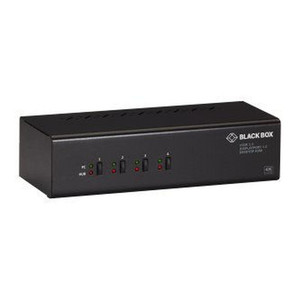
Black Box HD6224A-R2 4-Port 4K60 HDMI Dual-Monitor KVM Switch
Overview
The Black Box HD6224A-R2 is a 4-port KVM switch designed to streamline operations in environments requiring simultaneous control of multiple systems from a single workstation. It supports dual-monitor setups at resolutions up to 4K at 60Hz, making it suitable for command centers, control rooms, and broadcast studios where clear, high-resolution video feeds are critical for decision-making. This unit allows users to switch between four different computers using a single set of peripherals (keyboard, mouse, and dual monitors), reducing desk clutter and improving workflow efficiency. The HD6224A-R2 model specifically addresses the need for high-definition, dual-display video output from each connected computer.
Compatibility
This KVM switch is engineered to connect to any computer outputting HDMI video signals. It supports standard USB keyboards and mice for control. The dual-monitor capability means it is compatible with workstations and servers equipped with dual HDMI outputs. It is designed for use with standard HDMI cables, ensuring broad compatibility with most modern PCs, workstations, and servers. It does not require specific software drivers, functioning as a plug-and-play device for immediate integration into existing setups.
Installation Notes
Installation involves connecting the HDMI outputs from each of the four computers to the corresponding HDMI inputs on the KVM switch using separate HDMI cables for each monitor. Similarly, connect the USB keyboard and mouse to the designated USB ports on the switch. The KVM switch itself is powered via an included power adapter. Ensure sufficient space for cable management, as each computer requires two HDMI cables and one USB connection to the switch.
What's in the Box
- 1x HD6224A-R2 KVM Switch
- 1x Power Adapter
- 1x User Manual