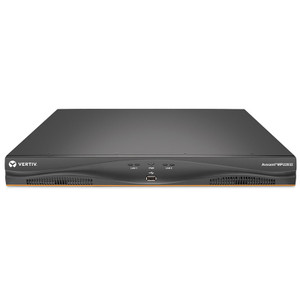
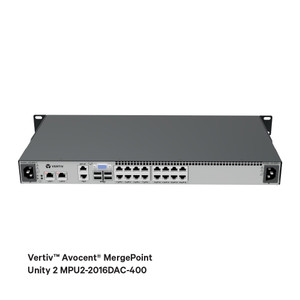
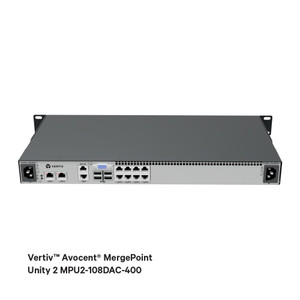
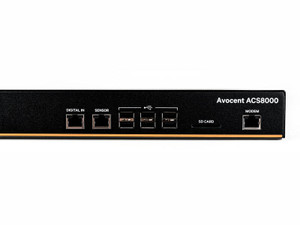
Product images are provided for reference and may not represent the exact model, configuration, or included components.

Overview

SKU: MPU2-2032DAC-400
UPC: 636430091143
Condition: New
Write a Review 27% OFF

Vertiv 32-PORT 2 Digital KVM Path Dual AC Power Supply TAA Compliant - MPU2-2032DAC-400

Vertiv MPU2-2032DAC-400 KVM Device Controller Overview The Vertiv MPU2-2032DAC-400 is a 32-port KVM (Keyboard, Video, Mouse) switch designed for centr…

$9,447.00 $6,912.99 SAVE $2534
Ships same business day
In stock

Quantity:

Adding to cart… The item has been added
Compatibility guidance available for your deployment
Senior specialists for pre and post-sales support
Authorized sourcing and documentation support
Shipping and lead-time confirmation before install

Laura Bennett, IPSD Senior Specialist

Talk to Laura

200+ hrs training • U.S - based

Senior Specialist • 877-277-7147

Vertiv 32-PORT 2 Digital KVM Path Dual AC Power Supply TAA Compliant - MPU2-2032DAC-400

$9,447.00
$6,912.99

Overview

SKU: MPU2-2032DAC-400
UPC: 636430091143
Condition: New

No Bots, Just Experts

Questions about this product? Free pre-sales support from a senior specialist — product questions, compatibility checks, BOM quotes, price confirmation — typically answered within one business day. Need camera placement or system design work? Engineering time is $175 per hour (qty 1 = 1 hour). Hardware buyers get up to one hour ($175) credited back on their order.

Description

Vertiv MPU2-2032DAC-400 KVM Device Controller

Overview

The Vertiv MPU2-2032DAC-400 is a 32-port KVM (Keyboard, Video, Mouse) switch designed for centralized management of multiple servers and devices. It provides direct console access, simplifying IT administration in data centers and server rooms. The inclusion of dual AC power supplies ensures operational continuity, a critical factor for environments demanding high availability. This unit supports up to 1920x1080 local video resolution, enabling clear visualization of system status and diagnostics.

Compatibility

This KVM switch is designed to connect to a wide range of servers and network devices via its 32 digital device ports. It supports various video connection types including VGA, DVI-I, Display Port, and HDMI through server interface modules (sold separately). The unit is compatible with USB keyboard and mouse setups, including those supporting virtual media, CAC (Common Access Card), and USB2.2 standards, offering broad peripheral support for diverse IT infrastructure.

Installation Notes

The MPU2-2032DAC-400 requires server interface modules (SIMs) for each connected device, which are not included and must be purchased separately. Each SIM translates the server's video and USB signals into a format compatible with the KVM switch. The unit supports TACACS+, RADIUS, and LDAP for centralized user authentication, enhancing security posture. Its dual power supplies connect to separate AC power sources to provide redundancy.

Specifications
Type: KVM
Input Ports: 1 x VGA, 4 x USB Type A
Output Ports: 32 device ports, 2 digital
Video Connection: VGA, DVI-I, Display Port, HDMI
Video Resolution: 1920x1080 (maximum local video resolution)
Power Supply(S: Dual power supplies
Input Power (Maximum: 240W
Network Interface(S: Server interface module
Usb Ports: 4
Other Supported Accessories: USB keyboard/mouse supporting virtual media, CAC and USB2.2
Authentication Supported: TACACS+, RADIUS, LDAP
Agency Approvals: UL, FCC, cUL, ICES-003, CE, VCCI, KCC, RCM, NOM, EAC
Q&A
Reviews
Have Questions?

RELATED PRODUCTS

System Design, Deployment & Technical Support

Support services and planning resources for commercial surveillance, access control, and infrastructure deployments.

Fixed scope • Fixed price

System Design Assistance

  • Get help validating product compatibility
  • Coverage requirements
  • Storage planning and deployment architecture before you buy.
Request Design Help

Deployment & Configuration Support

  • Access fixed-scope support for rollout planning
  • User setup guidance
  • Migration and system standardization across single-site or multi-site deployments
View Support Services

Guides, Tools & Calculators

  • PoE requirements
  • Storage retention
  • Camera selection and deployment methodology
Open Technical Resources