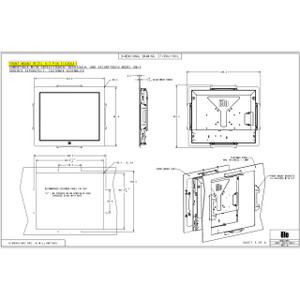
ELO Touch E579652 Rack-Mount Bracket Kit
Overview
The ELO Touch E579652 is a rack-mount bracket kit designed specifically for ELO Touch 1937L and 1939L touchscreen displays. This bracket enables secure, vertical mounting of these displays in standard 19-inch equipment racks — the standard integration point for consolidating operator stations, control terminals, and monitoring consoles in surveillance control rooms, security operations centers, and industrial automation environments. The kit solves the space and cable-management challenge of mounting large-format displays without occupying floor or desk real estate.
Compatibility
Compatible with ELO Touch 1937L and 1939L series displays only. Fits standard 19-inch racks with 1.75-inch (44.45 mm) post spacing. Verify your rack depth and front-panel clearance before installation — these displays are 19 inches wide, so confirm the rack can accommodate the display footprint and viewing distance from the operator position.
Installation Notes
Mount the bracket assembly to the rack frame using standard rack-mount hardware (not included). Ensure the display is secured to the bracket with all fasteners tightened — vibration or shock in transport or mobile surveillance setups can loosen mounting hardware. The bracket holds the display at a fixed angle; confirm this angle meets your operational sightline before final installation. Route all power and video cables through the rear of the rack to maintain clean cable paths and avoid pinching connectors during bracket installation or removal.
What's in the Box
- Rack-mount bracket assembly (1x)