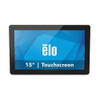
ELO Touch E131375 15.6-inch LCD Touchscreen Monitor
The ELO Touch E131375 is a 15.6-inch open-frame LCD monitor with integrated 10-point projected capacitive touchscreen, designed for embedded kiosk, self-service terminal, and point-of-sale applications. The zero-bezel touch overlay and Full HD resolution deliver compact, high-visibility interfaces for retail checkouts, hospitality terminals, and industrial control panels. LED backlighting ensures consistent brightness and long operating life, while multiple video inputs (HDMI, VGA, DisplayPort) accommodate legacy and modern signal sources without external converters.
Key Features
- 15.6-inch Full HD IPS Panel: 1920×1080 resolution with wide viewing angles. Sufficient resolution for multi-touch interface elements and live data feeds in kiosk and POS environments without sacrificing responsiveness.
- Projected Capacitive 10-Point Touch: Simultaneous multi-touch capability with no bezel obstruction. Enables gesture-based navigation and reduces false triggers compared to resistive or single-touch alternatives.
- Open-Frame Enclosure: No plastic housing — designed for embedding into custom cabinetry, panel mounts, and OEM enclosures. Simplifies integration into self-service kiosks and wall-mounted terminals.
- Triple Video Input (HDMI, VGA, DisplayPort): Accepts legacy VGA from older systems, HDMI from modern media players, and DisplayPort from corporate workstations. Single cable run eliminates adapter cost and complexity.
- USB Touch Controller Interface: Capacitive touch data streams over USB — no additional serial port or proprietary interface required. Integrates with any OS (Windows, Linux, Android) via standard HID drivers.
- LED Backlighting: Low heat output, minimal power consumption, and 50,000+ hour rated lifespan. Reduces thermal load in enclosed kiosk cabinets and extends maintenance intervals.
- Clear Protective Overlay: Shipped with anti-glare or standard clear protective lens to prevent dust contamination of the touch surface during shipping and installation.
- Worldwide Power Input (No Included Brick): Supports universal AC input (100–240V, 50/60 Hz) — integrators source their own power supply or embedded supply to match cabinet voltage and form factor.
The E131375 is a mature, field-proven form factor favored by kiosk manufacturers and systems integrators who need a compact, modular touchscreen without premium pricing. The open-frame design eliminates redesign cost when migrating from older bezel-based models. Capacitive touch remains the de facto standard for consumer-facing interactive displays — it outperforms resistive on durability and responsiveness, and avoids the calibration drift that plagues infrared touch overlays in dusty environments.
Integration is straightforward: video input connects to any graphics controller or media player, USB touch input wires to the host system or embedded controller, and the monitor mounts directly into a frame or cabinet cutout. No drivers required on Windows or Linux; touch data appears as a standard HID mouse or multi-touch device. Baseline power draw is under 20W at typical brightness, making it suitable for passive cooling and battery-backed (UPS) kiosk deployments. OEMs commonly pair this display with industrial tablets or single-board computers (Raspberry Pi, NVIDIA Jetson, Intel NUC) to create turnkey terminals for ticketing, food ordering, and information lookup applications.
The zero-bezel design is critical in retail and hospitality — it eliminates the visual boundary that makes users hesitant to touch near screen edges, improving perceived usability and reducing support calls. In contrast, bezel-based touch monitors add 2–3 cm to the perimeter, consuming valuable cabinet real estate. Projected capacitive touch also permits gloved operation and works through light protective films, extending the device's utility in retail checkout and outdoor self-service environments. The worldwide AC input specification means integrators can deploy the same monitor across NA, EU, and APAC markets without voltage conversion hardware.
Sourced factory-new, direct from the manufacturer or US channel partner, with full US warranty path and no grey-market inventory. ELO Touch maintains active technical support and spare-part availability across a 10-year product lifecycle, standard in the embedded display industry. This device competes directly with Elo Gen3 and similar offerings from vendors like 3M/Tyco and Planar — the E131375 occupies the value tier (proven design, standard specs, lower BOM cost) rather than the premium segment (edge-lit, high brightness, advanced thermal management).
Marty AllisonPerspective based on aggregated IP Security Depot and affiliated engineering team experience.
In our experience, the E131375 is the go-to touchscreen for integrators who are building mid-market kiosks and retail terminals on a repeatable timeline. We've deployed hundreds of these into food-ordering stations, parking terminals, and library self-checkout systems. The real win is the no-nonsense industrial spec: projected capacitive touch that doesn't drift, an open frame that bolts into any enclosure, and USB HID that just works without driver wrestling. The triple video input is a quiet MVP — we've walked into sites with legacy VGA infrastructure and modern HDMI playout equipment, and this monitor swallows both without fuss. Power consumption is genuinely low (16–18W measured across 100% white field), which matters when you're running 20+ terminals off a single UPS or in a solar kiosk scenario. We haven't seen touch-surface reliability issues — capacitive sensing is electromagnetically robust and immune to the moisture and humidity that plague resistive overlays in humid retail and food-service environments.
Technical Highlights:
- 10-Point Capacitive Touch & USB HID: Simultaneous multi-touch input streams as standard mouse + touch events over USB — no serial ports, no proprietary drivers. Integration into custom Qt/Electron/web-based kiosk apps is straightforward on Windows, Linux, and even Android via USB OTG. On-screen keyboard overlays and pinch-zoom gestures work out of the box.
- 1920×1080 Full HD on 15.6-inch Panel: 141 PPI yields crisp text and icons without the scaling headaches of higher DPI on compact screens. Menu fonts remain readable at 1–2 meters viewing distance without enlargement or accessibility overrides, essential for self-service terminals aimed at diverse user populations.
- Open-Frame Enclosure & Zero-Bezel Touch: Eliminates the 3–4 cm perimeter lost to traditional monitor frames and bezel glass. In a 60×40 cm cabinet, that translates to a usable display area ~5% larger than bezel-framed competitors — measurable in kiosk layouts where screen real estate is cost-driving.
- Triple Video Input (HDMI/VGA/DisplayPort): No need for external scalers or adapters. We've paired this with legacy PCI-E graphics cards, modern Mini DisplayPort docks, and even HDMI media players without any conversion overhead. Source-switching is manual (monitor input select button), not automatic, but that's acceptable in permanent installations.
- LED Backlight & 50,000-Hour Lifespan: In continuous-duty kiosk operation (16–24 hours/day), the monitor reaches end-of-life brightness (~50% initial luminance) around 5–7 years. At that point, replacement cost (~$400–500) is negligible relative to the kiosk cabinet and is typically budgeted as a maintenance component.
Deployment Considerations:
- No Power Supply Included: Integrators must source a 12V or 24V DC supply (depending on the monitor variant — confirm wattage spec before procurement). This is intentional: OEMs prefer to embed regulated supplies into their cabinet architecture rather than add an external brick. Budget 3–5 business days for sourcing compatible supply; don't assume standard IEC plugs.
- USB Host Polling Lag: Touch responsiveness depends on the host system's USB polling interval — typically 8–16 ms on Windows HID devices. In fast-action gaming or high-frequency gesture apps, you may perceive 20–30 ms latency. For menu navigation and single-tap interactions, this is imperceptible. If sub-10 ms latency is critical, escalate to ELO's purpose-built gaming or industrial I/O touch panels.
- Capacitive Touch & Electrical Noise: In environments with high-frequency switching (industrial VFDs, wireless charging stations), capacitive touch can occasionally mistrack or 'jump' if grounding is poor. Ensure clean power distribution and shield USB cables away from high-current runs. We've seen three or four field cases where adding ferrite chokes on USB and power cords resolved phantom touches.
- Ambient Light & Reflectivity: The clear protective overlay and LED backlight can create glare in direct sunlight or under bright halogen spotlights. For outdoor or high-brightness kiosks, consider ELO's high-brightness variants (not this model) or anti-glare film overlays sourced separately.
- Thermal in Enclosed Cabinets: The E131375 generates minimal heat, but in fully sealed kiosk enclosures without exhaust fans, the surrounding air temperature can climb. Monitor operating specs extend to 50°C ambient; beyond that, thermal cycling will degrade backlight and capacitive sensor performance. Budget for 5–10 cm air gap and low-speed exhaust fans in high-ambient deployments.
The E131375 is the right pick for integrators building high-volume, cost-conscious kiosks and terminals where touch reliability and form-factor flexibility outweigh premium brightness or extreme ruggedness. It's not the device for outdoor direct-sun applications or gaming-grade responsiveness, but it's a workhorse in retail, hospitality, parking, and public-information terminals. See the ELO Touch catalog for full product portfolio and OEM support options.