


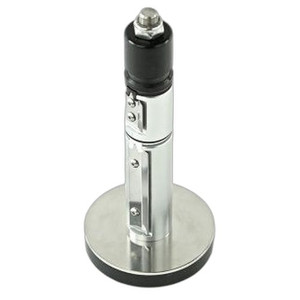

Product images are provided for reference and may not represent the exact model, configuration, or included
components.
Overview
SKU:
P1112640-223
Condition:
New
Availability:
Usually ships in 24 hours
Warranty
1-Year Limited Warranty

Zebra P1112640-223 Nameplate with LCD Kit
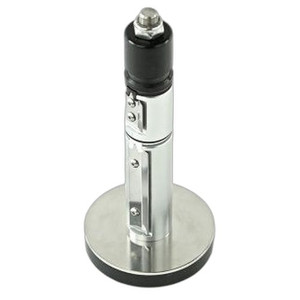
Zebra P1112640-223 Nameplate with LCD KitThe Zebra P1112640-223 is a nameplate assembly with integrated LCD display designed for use with the ZD621T a…

Zebra P1112640-223 Nameplate with LCD Kit
$41.99
Your recommended setup
Review items below — quantities update pricing automatically.
Item
Qty
Status
Price
Optional Add-Ons recommended
Services optional
Bundle Summary
Bundle Subtotal:
$0.00
Optional Add-Ons:
$0.00
Services:
$0.00
Total:
$0.00
Overview
SKU:
P1112640-223
Condition:
New
Availability:
Usually ships in 24 hours
Warranty
1-Year Limited Warranty
Description

Zebra P1112640-223 Nameplate with LCD Kit
The Zebra P1112640-223 is a nameplate assembly with integrated LCD display designed for use with the ZD621T and ZD621R thermal transfer printer models. This kit provides essential hardware for deployment in warehouse, logistics, retail, and supply chain environments where printer identification and status visibility are critical operational requirements.
Overview
The P1112640-223 kit supplies a replacement or upgrade nameplate component featuring an LCD display that delivers real-time printer status and configuration information. The assembly integrates seamlessly with ZD621 series printers, enabling operators to quickly verify printer state, network connectivity, and operational parameters without accessing the device's web interface. This component is part of Zebra's comprehensive printer accessory ecosystem and supports Wi-Fi connectivity configurations for networked printing environments.
Key Features
- LCD Display Integration: Built-in LCD screen provides real-time status monitoring and printer identification on the physical device
- ZD621T Compatibility: Designed specifically for Zebra ZD621T thermal transfer printer models
- ZD621R Compatibility: Full compatibility with ZD621R printer systems
- Wi-Fi Support: Integrates with Wi-Fi enabled ZD621 printer configurations
- Quick-Access Status Information: Operators can view printer state and connectivity status directly from the nameplate display
- Replacement Component: Functions as a drop-in upgrade for existing ZD621 printer installations
- OEM Quality: Genuine Zebra component engineered for reliability in high-volume printing operations
- Simple Installation: Kit includes all components necessary for nameplate replacement
Integration and Compatibility
The Zebra P1112640-223 (often searched as P1112640 223) is engineered for direct integration with ZD621T and ZD621R thermal transfer printer platforms. These printers are widely deployed in warehouse management systems, shipping and receiving operations, and retail point-of-sale environments. The nameplate assembly mounts directly to the printer chassis and communicates with the printer's control system to display operational metrics. Wi-Fi connectivity on compatible ZD621 models ensures the nameplate can reflect network status and printer availability in real-time, supporting fleet-wide visibility across distributed printing networks.
Package Contents
The kit includes the nameplate assembly with integrated LCD display and all mounting hardware required for installation on ZD621T and ZD621R printers. No additional components or tools beyond standard assembly procedures are necessary for deployment.
James Everett
When evaluating the Zebra P1112640-223 nameplate kit for deployment across a distributed printing fleet, the integrated LCD display delivers significant operational value by eliminating the need to access printer web interfaces for basic status checks. In warehouse environments with multiple ZD621 printers, this visibility improvement reduces troubleshooting time and supports faster identification of connectivity or configuration issues in real-time.
Technical Highlights:
- LCD Status Display: Provides at-a-glance printer state and network connectivity confirmation without requiring web interface access
- Wi-Fi Compatibility: Supports network-connected ZD621 printer deployments in modern warehouse and logistics operations
Deployment Considerations:
- Verify ZD621T or ZD621R printer model compatibility before ordering to ensure seamless installation and full feature functionality
- The nameplate assembly integrates with existing ZD621 printer management systems, requiring no additional software or driver updates
For operations managing multiple thermal printers across warehouse facilities, the P1112640-223 nameplate kit represents a straightforward way to enhance printer visibility and reduce downtime associated with connectivity issues. The combination of LCD status reporting and Wi-Fi support aligns well with modern distributed printing architectures common in high-volume logistics and fulfillment operations.
Specifications
Product Type:
Nameplate Assembly with LCD Display
Connectivity:
Wi-Fi
Form Factor:
Nameplate with LCD
Screen_Size:
LCD Display
Have Questions?
Ask an Expert.
RELATED PRODUCTS
System Design, Deployment & Technical Support
Support services and planning resources for commercial surveillance, access control, and infrastructure deployments.
Fixed scope • Fixed price
System Design Assistance
- Get help validating product compatibility
- Coverage requirements
- Storage planning and deployment architecture before you buy.
Deployment & Configuration Support
- Access fixed-scope support for rollout planning
- User setup guidance
- Migration and system standardization across single-site or multi-site deployments
Guides, Tools & Calculators
- PoE requirements
- Storage retention
- Camera selection and deployment methodology