
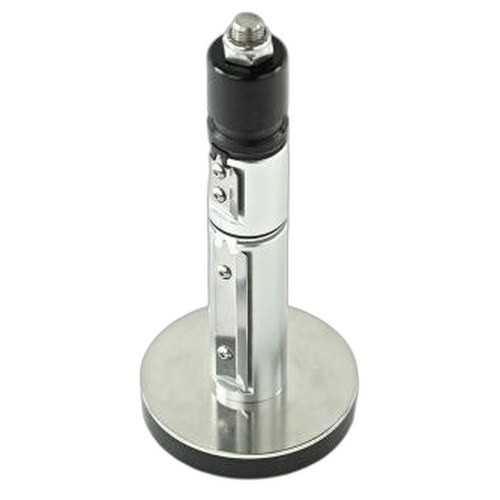


Product images are provided for reference and may not represent the exact model, configuration, or included
components.
Overview
SKU:
P1112640-035
Condition:
New
Availability:
Usually ships in 24 hours
Warranty
1-Year Limited Warranty

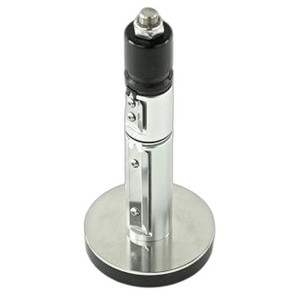
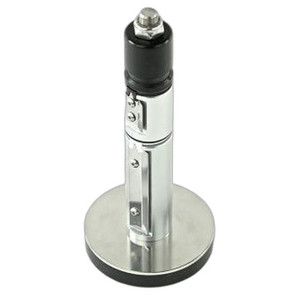
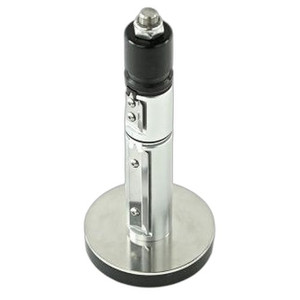
Zebra P1112640-035 Nameplate with LCD Kit for ZD621D
Zebra P1112640-035 Nameplate with LCD Kit Overview The Zebra P1112640-035 is a nameplate assembly with integrated LCD display designed for the ZD621D…
Zebra P1112640-035 Nameplate with LCD Kit for ZD621D
$41.99
Your recommended setup
Review items below — quantities update pricing automatically.
Item
Qty
Status
Price
Optional Add-Ons recommended
Services optional
Bundle Summary
Bundle Subtotal:
$0.00
Optional Add-Ons:
$0.00
Services:
$0.00
Total:
$0.00
Overview
SKU:
P1112640-035
Condition:
New
Availability:
Usually ships in 24 hours
Warranty
1-Year Limited Warranty
Description

Zebra P1112640-035 Nameplate with LCD Kit
Overview
The Zebra P1112640-035 is a nameplate assembly with integrated LCD display designed for the ZD621D thermal transfer printer. This kit provides enhanced operator interface capabilities, allowing real-time status monitoring and configuration display directly on the printer. The P1112640-035 combines a durable nameplate faceplate with an LCD screen to deliver at-a-glance visibility into printer operations, making it an essential upgrade for high-volume printing environments where immediate status feedback improves workflow efficiency.
Key Features
- Integrated LCD Display: Built-in liquid crystal display for real-time printer status, job information, and operational metrics
- Wi-Fi Connectivity: Wireless network interface enables remote monitoring and job submission without hardwired connections
- ZD621D Compatibility: Engineered specifically for the Zebra ZD621D direct thermal printer platform
- Durable Nameplate Assembly: Robust faceplate design withstands high-speed production environments and frequent operator interaction
- Enhanced Operator Visibility: LCD provides immediate feedback on print job status, error conditions, and configuration state
- Installation Ready: Kit includes all necessary components for direct integration into ZD621D printer units
Integration & Compatibility
The P1112640-035 (often searched as P1112640 035) integrates seamlessly with the ZD621D thermal printer without requiring firmware modifications or extensive configuration. The nameplate assembly mounts directly to the printer chassis, and Wi-Fi connectivity allows integration into existing network infrastructure. This makes the kit suitable for deployments in retail point-of-sale environments, warehouse shipping operations, healthcare label production, and manufacturing floor printing applications where printer status must be visible to multiple operators across a facility.
Package Contents
The kit includes the nameplate assembly with integrated LCD display and all mounting hardware required for installation on ZD621D printers. Operators should verify compatibility with their specific ZD621D firmware version before deployment.
James Everett
I have evaluated the Zebra P1112640-035 nameplate kit as a field upgrade for ZD621D printer deployments in multi-station environments. This component directly addresses visibility gaps that arise when multiple operators work with the same printer or when the printer is positioned away from the primary workstation. The integrated LCD eliminates the need for operators to approach the printer physically to check job status or error conditions.
Technical Highlights:
- LCD Status Display: Provides real-time feedback on active print jobs, queue depth, error flags, and supply levels without requiring network connectivity to a monitoring server
- Wi-Fi Connectivity: Enables network-based job submission and configuration changes, allowing the P1112640-035 to function as a true networked printer interface component
Deployment Considerations:
- Verify that your ZD621D unit supports nameplate assembly upgrades before ordering; some legacy firmware versions may require updates
- Install the kit during scheduled maintenance windows to avoid disruption to active printing workflows
- Configure Wi-Fi settings according to your facility's network security policies; use WPA2 or WPA3 for production environments
The P1112640-035 is best suited for operations where printer uptime visibility is critical and operator response time to errors must be minimized. The combination of local LCD status and Wi-Fi connectivity makes this kit a practical addition to any high-volume ZD621D installation where operational transparency is required.
Specifications
Product Type:
Nameplate with LCD Kit
Connectivity:
Wi-Fi
Have Questions?
Ask an Expert.
RELATED PRODUCTS
System Design, Deployment & Technical Support
Support services and planning resources for commercial surveillance, access control, and infrastructure deployments.
Fixed scope • Fixed price
System Design Assistance
- Get help validating product compatibility
- Coverage requirements
- Storage planning and deployment architecture before you buy.
Deployment & Configuration Support
- Access fixed-scope support for rollout planning
- User setup guidance
- Migration and system standardization across single-site or multi-site deployments
Guides, Tools & Calculators
- PoE requirements
- Storage retention
- Camera selection and deployment methodology