
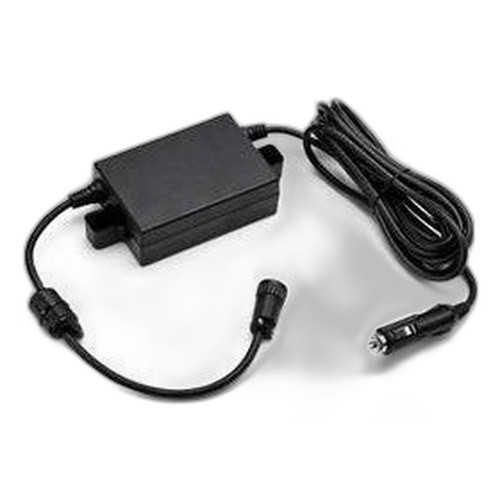

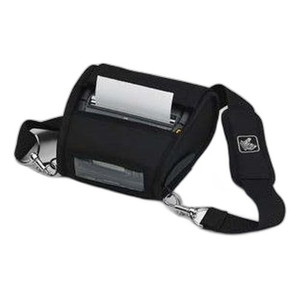

Product images are provided for reference and may not represent the exact model, configuration, or included
components.
Overview
SKU:
P1063406-020
Condition:
New
Availability:
Usually ships in 24 hours
Warranty
1-Year Limited Warranty

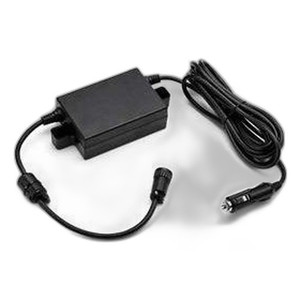
Zebra P1063406-020 Connector Door I/O Kit for ZQ510
Zebra P1063406-020 Connector Door I/O Accessory Kit Overview The Zebra P1063406-020 is a connector door input/output accessory kit designed for ZQ510…
Zebra P1063406-020 Connector Door I/O Kit for ZQ510
$61.99
Your recommended setup
Review items below — quantities update pricing automatically.
Item
Qty
Status
Price
Optional Add-Ons recommended
Services optional
Bundle Summary
Bundle Subtotal:
$0.00
Optional Add-Ons:
$0.00
Services:
$0.00
Total:
$0.00
Overview
SKU:
P1063406-020
Condition:
New
Availability:
Usually ships in 24 hours
Warranty
1-Year Limited Warranty
Description

Zebra P1063406-020 Connector Door I/O Accessory Kit
Overview
The Zebra P1063406-020 is a connector door input/output accessory kit designed for ZQ510 mobile thermal printers. This kit enables secure connections and I/O port management on the ZQ510 platform, supporting operational flexibility in field printing and data capture environments. The P1063406-020 accommodates 15 units and is specified for wired connectivity scenarios where reliable port access and protection are critical to device deployment.
Key Features
- Connector Door Design: Protective enclosure for I/O ports on ZQ510 printers
- Quantity: Kit includes 15 units for multi-device deployments
- Connectivity: Wired interface support for stable, interference-free connections
- ZQ510 Compatibility: Purpose-built accessory engineered for Zebra ZQ510 mobile thermal printer platform
- Port Protection: Safeguards I/O connectors from environmental contamination and mechanical damage
- Field Deployment: Enables organized cable management and connector accessibility in warehouse, logistics, and retail environments
Integration & Compatibility
The P1063406-020 connector door kit is engineered specifically for the Zebra ZQ510 mobile printer series. Installation on compatible ZQ510 devices enables secure I/O port access without compromising device ruggedness or operational performance. The kit's 15-unit configuration supports small to medium fleet deployments across multiple printers, making it suitable for security integrators, logistics operations, and retail IT teams managing multiple ZQ510 units in the field.
Package Contents
Kit includes 15 connector door assemblies for ZQ510 printers. Each unit is designed to integrate seamlessly with the ZQ510's existing port architecture.
Technical integrators should verify port compatibility and clearances with existing peripheral devices before bulk deployment. Wired connectivity ensures stable operation in high-interference environments where wireless alternatives may experience signal degradation.
Eden Phillips
The Zebra P1063406-020 connector door kit addresses a practical challenge in ZQ510 fleet deployments: port protection and cable organization. In warehouse and logistics environments where mobile printers experience frequent handling, connector integrity is essential to uptime. The 15-unit kit sizing suggests this accessory is intended for small to medium operations—typical for regional distribution centers or multi-location retail chains.
Technical Highlights:
- Port Protection: Wired connectivity combined with protective connector doors reduces connector fatigue and downtime from cable stress or environmental exposure
- Fleet Scalability: 15-unit kit configuration enables standardized accessory deployment across multiple ZQ510 printers without requiring individual reorders
Deployment Considerations:
- Verify connector door fit and clearance with docking stations, USB peripherals, and Ethernet cabling in your existing ZQ510 setup before bulk deployment
- Wired connectivity eliminates wireless latency concerns in high-density warehouse RF environments—ideal for operations already standardized on Ethernet or serial connections
The P1063406-020 is a straightforward protective accessory that extends ZQ510 connector lifespan and standardizes port management across fleets. For integrators managing 15+ printers, this kit represents an efficient way to standardize on connector protection across your deployment footprint.
Specifications
Product Type:
Connector Door I/O Accessory Kit
Connectivity:
Wired
Have Questions?
Ask an Expert.
RELATED PRODUCTS


System Design, Deployment & Technical Support
Support services and planning resources for commercial surveillance, access control, and infrastructure deployments.
Fixed scope • Fixed price
System Design Assistance
- Get help validating product compatibility
- Coverage requirements
- Storage planning and deployment architecture before you buy.
Deployment & Configuration Support
- Access fixed-scope support for rollout planning
- User setup guidance
- Migration and system standardization across single-site or multi-site deployments
Guides, Tools & Calculators
- PoE requirements
- Storage retention
- Camera selection and deployment methodology