
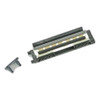
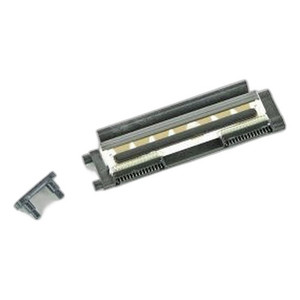
Zebra G105916-028 Ribbon Output Sensor Kit for TLP2844Z
Ribbon sensor kit with 3 units for Zebra TLP2844Z label printers
Usually Ships in 2-3 Weeks
Free shipping over $499

Manufacturer-verified compatible cameras, recorders, mounts, accessories, and licenses for this product. Adjust quantities and add the entire bundle to your cart in one click.
Questions about this product? Free pre-sales support from a senior specialist — product questions, compatibility checks, BOM quotes, price confirmation — typically answered within one business day. Need camera placement or system design work? Engineering time is $175 per hour (qty 1 = 1 hour). Hardware buyers get up to one hour ($175) credited back on their order.
The Zebra G105916-013 is a feed switch sensor assembly component designed for thermal printing systems. This OEM part supports reliable media feed detection and control in Zebra thermal printer operations, ensuring consistent print quality and paper advancement during production cycles.
The G105916-013 feed switch sensor assembly functions as a critical sensing component within Zebra's thermal printer lineup. This assembly monitors media position and feed status, allowing the printer's control system to detect paper presence, advancement, and jam conditions. Proper sensor operation is essential for maintaining print consistency and preventing media waste in high-volume printing environments such as warehousing, logistics, shipping, and label production facilities.
The G105916-013 is a replacement sensor assembly for Zebra thermal printers requiring feed switch maintenance or repair. This component integrates directly into the printer's media path assembly. Compatibility varies by printer model and generation; verification against your specific printer model and serial number is required before ordering. Consult your printer's service manual or contact Zebra technical support to confirm fitment for your equipment.
In warehouse and logistics environments where thermal label printers operate continuously, feed sensor reliability directly impacts uptime and throughput. A functioning feed switch sensor prevents paper jams, detects media exhaustion, and allows the printer to halt operations when media is not advancing properly, protecting the printhead and reducing material waste. Replacement of worn or malfunctioning feed sensors is a standard preventive maintenance task in high-volume shipping and inventory labeling operations.
When media feed sensors degrade or fail, printers may produce blank labels, jam repeatedly, or continue printing without detecting empty media trays. Timely replacement of the G105916-013 restores print reliability and reduces production interruptions.

I've encountered feed sensor failures in several high-volume printer deployments across logistics facilities. The Zebra G105916-013 is a straightforward replacement component that restores media detection functionality when original sensors wear out. In my experience, feed switch assemblies are among the most commonly replaced consumable parts in 24/7 thermal printer operations, second only to printheads and platens.
Technical Highlights:
Deployment Considerations:
The G105916-013 is a practical and cost-effective maintenance component. If your warehouse or shipping department is experiencing frequent false jams, blank labels, or media detection failures, feed sensor replacement should be your first diagnostic step before investigating more complex printer issues.

Manufacturer-verified compatible cameras, recorders, mounts, accessories, and licenses for this product. Adjust quantities and add the entire bundle to your cart in one click.
Ribbon sensor kit with 3 units for Zebra TLP2844Z label printers
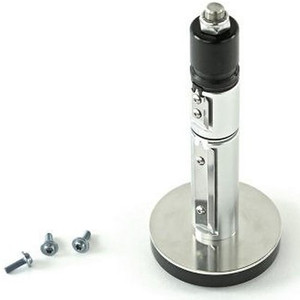
Fixed gap/blackline sensor for Zebra thermal label printers
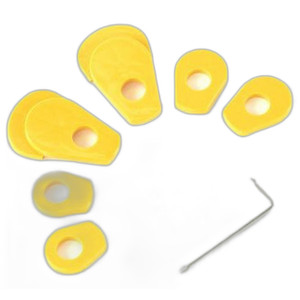
OEM upper gap sensor kit for ZD410, ZD420, ZD620 thermal printers

OEM 300dpi thermal printhead for Zebra ZT420/ZT421 label printers
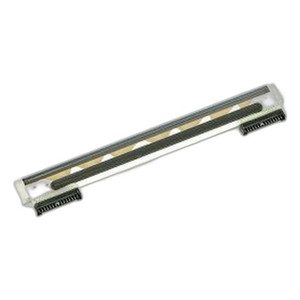
OEM feed switch for Zebra GK/GK420t/GX430t thermal printers
Looking for more Zebra products? Shop the full Zebra catalog →
Support services and planning resources for commercial surveillance, access control, and infrastructure deployments.
Fixed scope • Fixed price