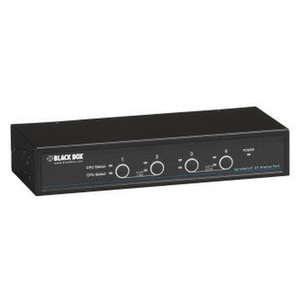
Black Box KV62-CBL DisplayPort 1.2 KVM Switch
Overview
The Black Box KV62-CBL KVM switch is designed to manage multiple computers from a single workstation, supporting modern high-resolution displays. It's built for environments where efficient control over demanding visual applications is critical, such as video editing suites, CAD workstations, or complex server monitoring setups. This unit ensures that your DisplayPort 1.2 signals are transmitted without degradation, allowing you to work with demanding resolutions and refresh rates. The KV62-CBL model provides a direct path for DisplayPort 1.2 connectivity, simplifying setups that require this specific interface.
Compatibility
This KVM switch is designed to interface with computers outputting DisplayPort 1.2 signals. It is compatible with any PC, server, or workstation equipped with a DisplayPort 1.2 output. The switch itself requires a standard USB connection for keyboard and mouse emulation and a DisplayPort 1.2 connection from each source device to the switch's input ports. Ensure your target devices and displays support DisplayPort 1.2 resolutions and refresh rates for optimal performance.
Installation Notes
Connect your keyboard and mouse to the designated USB ports on the switch. Then, connect your DisplayPort 1.2 output from each computer to the corresponding DisplayPort input on the KV62-CBL. Finally, connect your DisplayPort 1.2 monitor to the switch's output port. Power is typically supplied via USB or an included adapter, depending on the specific configuration. Ensure all connections are secure before powering on the connected computers.
What's in the Box
- 1x Black Box KV62-CBL KVM Switch
- 1x USB Cable
- 1x Power Adapter (if applicable)
- 1x User Manual