
Connectivity Modules
Showing Results for Connectivity Modules
-
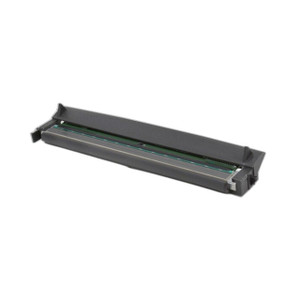
Zebra
SKU: P1112640-212
Zebra P1112640-212 Rear Bezels and WiFi Bezel Kit
WiFi bezel kit and rear assembly for Zebra printer upgrades
- Adds Wi-Fi connectivity to compatible Zebra printers without full hardware replacement.
- OEM rear bezel assembly ensures correct mechanical fit on target Zebra printer platforms.
- Backed by a 1-year warranty, supporting low-risk field upgrades and depot deployments.
$31.56 $24.99 Save $6.57 -

Zebra
SKU: P1112640-213
Zebra P1112640-213 Rear Bezels and WiFi Bezel Kit ZD421T
ZD421T rear bezels with WiFi connectivity upgrade kit
- OEM rear bezels restore ZD421T housing integrity without printer replacement.
- Integrated Wi-Fi bezel adds wireless network connectivity to existing ZD421T units.
- 1-year warranty covers components for field upgrade and replacement deployments.
$31.56 $30.99 Save $0.57 -

Zebra
SKU: P1112640-237
Zebra P1112640-237 Rear Bezel Kit Serial Ethernet WiFi
Rear bezel kit with Serial, Ethernet, WiFi for ZD621T/R printers
- Rear bezel kit for ZD621T/ZD621R printer with Wi-Fi
- Serial, Ethernet, and Wi-Fi connectivity options
- Direct-fit for ZD621 series installation reconfig
$28.68 $27.99 Save $0.69 -

Zebra
SKU: P1112640-238
Zebra P1112640-238 Ethernet/Serial Module Kit
Dual Ethernet and RS-232 connectivity module for ZD621T/R printers
- Adds wired Ethernet to ZD621T/R, eliminating Wi-Fi dependency in critical print environments.
- RS-232 serial port maintains compatibility with legacy host systems and specialized controllers.
- Single module kit delivers dual-interface expansion with all installation components included.
$131.04 $130.99 Save $0.05 -

Zebra
SKU: P1112640-239A
Zebra P1112640-239A Wireless Print Server MFI 3.0
Wireless print server with MFI 3.0 and 802.11ac for Zebra thermal printers
- IEEE 802.11ac Wi-Fi eliminates cabling runs for distributed thermal printer deployments.
- MFI 3.0 protocol ensures standardized mobile-device-to-printer communication across sites.
- Compatible with ZD421D, ZD421T, and ZD621D platforms, simplifying multi-printer rollouts.
$234.61 $233.99 Save $0.62 -
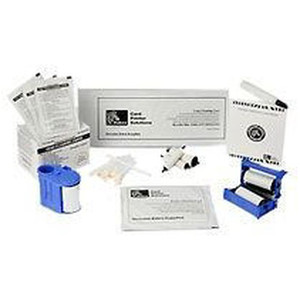
Zebra
SKU: P1123335-025
Zebra P1123335-025 Applicator Interface Kit ZT231
ZT231 applicator interface kit for automated label application control
- Designed exclusively for ZT231, eliminating compatibility guesswork during deployment.
- Enables bidirectional applicator control signals for synchronized automated labeling workflows.
- Includes all required interface hardware; 1-year warranty supports industrial uptime demands.
$261.41 $202.99 Save $58.42 -

Zebra
SKU: P1123335-035
Zebra P1123335-035 Ethernet Card Kit ZT111 ZT231
Ethernet upgrade kit for Zebra ZT111 and ZT231 thermal printers
- Adds wired Ethernet to ZT111 and ZT231 printers, eliminating USB/serial dependencies.
- Enables remote printer management and network-based print job distribution.
- Backed by a 1-year warranty, supporting reliable enterprise deployment lifecycles.
$486.58 $377.99 Save $108.59 -

Zebra
SKU: P1130666-017A
Zebra P1130666-017A Wireless Module Upgrade Kit
Wireless retrofit kit for Zebra POS and mobile devices
- Retrofits existing Zebra POS and mobile devices with wireless connectivity.
- Reduces hardware replacement costs by extending the life of current infrastructure.
- Includes installation hardware and documentation for guided field deployment.
$365.28 $221.99 Save $143.29 -

Zebra
SKU: P1134555-017A
Zebra P1134555-017A Wi-Fi 6 Wireless Module Kit
Wi-Fi 6 upgrade module for Zebra printers and mobile devices
- Wi-Fi 6 (802.11ax) delivers reduced latency in high-density enterprise deployments.
- MIMO antenna configuration improves signal reliability across warehouse and logistics floors.
- Modular kit design enables field installation on compatible Zebra devices without firmware changes.
$392.78 $235.99 Save $156.79
Connectivity Modules
Add-on connectivity modules for label printers including Wi-Fi 802.11ac, Bluetooth 5.0, Ethernet, and serial interface cards. Upgrade printer communication options to match network infrastructure requirements without replacing the base printing hardware.
Plan Your Deployment
- Identify required protocol: Ethernet, Wi-Fi, Bluetooth, or parallel/serial for legacy systems
- Confirm module form factor compatibility with printer expansion slot or port bay
- Evaluate dual-band Wi-Fi (2.4/5 GHz) for warehouse RF congestion environments
- Specify Bluetooth version for mobile device pairing and proximity printing workflows
- Plan IP address assignment and network security for Ethernet-connected printers
Connectivity Modules — Engineering-Grade Warehouse Data Capture for Commercial Deployments
This category covers 239 working models of connectivity modules sourced manufacturer-direct or through channel-direct US distribution. Build the rest of your system around the architectural choices below — compatibility, environmental rating, and lifecycle decisions made here propagate through every downstream component you specify.
What to Look For
Read range and barcode symbology drive scanner choice. Linear (1D) scanners read UPC, Code 128, EAN. 2D imagers read QR, DataMatrix, Aztec — increasingly required for compliance labels, mobile payment, and DSCSA pharma serialization. Long-range scanners reach 20-30 feet for high-rack inventory; short-range handhelds work at arm's length on conveyors.
Form factor and connectivity affect operator throughput. Handheld scanners, ring scanners, mobile computers, and presentation scanners each suit different workflows. Wireless (Bluetooth, Wi-Fi) scanners free operators from cable but require battery management. Mobile computers (Zebra TC, Honeywell CT) bundle scanning into a phone-style device with apps for inventory, picking, and put-away.
Label printer choice depends on volume, media type, and durability requirements. Thermal-transfer printing uses a ribbon and produces durable labels for outdoor or chemical exposure. Direct-thermal needs no ribbon but labels fade in sun and heat; correct for shipping labels and short-term applications. Print volume per shift dictates desktop versus industrial printer (Zebra ZT, Honeywell PD/PX, TSC TTP).
Media compatibility and ribbon-printer matching is the slow-burn problem of label-printing deployments. Cheap mismatched ribbon/media combinations cause printhead wear, smudging, and label adhesion failure. Use the manufacturer's recommended ribbon/media pairings — the slight cost premium pays back in printhead life. Plan ribbon and media inventory together; running out of either stops the operation.
Key Specs in This Category
| Spec | Available Options |
|---|---|
| IP Rating | IP67, IP65 |
| Connectivity | Wi-Fi, Wired, Bluetooth, 2 x 2 MIMO 2.4/5 GHz: 802.11 b/g/n 2.4 GHz or 802.11 n/a/ac 5 GHz |
| Power | Phoenix connector, IEC 60320 C14 (inlet), Screw down removable terminal block |
| Type | Printer, Switch, Serial Device Server, Scanner, Serial Server, Accessory, Bluetooth Module Kit, Device server |
| Night Vision | Yes |
Top Brands in This Category
Frequently Asked Questions
Should I buy a handheld scanner or a mobile computer?
Handheld scanners (Zebra DS, Honeywell Granit, Code CR) are best for high-volume single-purpose scanning — receiving, shipping, point-of-sale. Mobile computers (Zebra TC, Honeywell CT, Datalogic Skorpio) bundle scanning into a device that runs picking, inventory, and warehouse-management apps. For operations where the operator needs more than scan-and-confirm, mobile computers are worth the additional cost. Pure scan-and-confirm workflows are cheaper with handhelds.
What's the difference between direct-thermal and thermal-transfer printing?
Direct-thermal printing applies heat to chemically-treated labels — no ribbon needed. Labels fade in sun and heat, so it's correct for short-term applications like shipping. Thermal-transfer printing melts ribbon ink onto durable label stock — used for permanent asset tags, outdoor labels, and chemical-exposure labels. Choose direct-thermal for cost on short-term labels and thermal-transfer for durability on long-life labels.
How long does a label printer printhead last?
Industrial printheads last 30-50 million inches of printing on a well-maintained printer with matched ribbon and media. Desktop printers run 20-30 million inches. Mismatched ribbon/media, abrasive labels, and inadequate cleaning shorten life dramatically — to under 5 million inches in worst cases. Schedule printhead inspection at every label-roll change and cleaning at every shift.
Can I use generic ribbons in any printer?
Technically yes for ribbons in compatible width — practically no without quality risk. Manufacturer-recommended ribbons match the printhead's resistance, dot timing, and ink chemistry. Generic ribbons often cause faded prints, increased printhead wear, or static buildup that damages electronics. The cost savings on ribbon rarely justify the operational risk; stick with the manufacturer's recommended consumables for production printers.
What barcode symbology should I print?
Code 128 is the universal default for 1D barcodes — high density, alphanumeric. UPC-A and EAN-13 are required for retail goods. QR and DataMatrix are required for compliance, mobile payment, and many compliance labels (pharma DSCSA). Code 39 is older and lower-density — used in legacy systems. For new applications, lead with Code 128 (1D) and DataMatrix (2D) and add others only when required.
Need help choosing? Talk to a Senior Specialist — direct line 877-277-7147 or request a quote.