
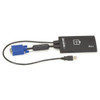

Black Box KVT100AUSB Laptop Crash Cart Adapter - SSIP0026412
Usually Ships in 2-3 Weeks
Free shipping over $499
$1,233.99


Manufacturer-verified compatible cameras, recorders, mounts, accessories, and licenses for this product. Adjust quantities and add the entire bundle to your cart in one click.
Questions about this product? Free pre-sales support from a senior specialist — product questions, compatibility checks, BOM quotes, price confirmation — typically answered within one business day. Need camera placement or system design work? Engineering time is $175 per hour (qty 1 = 1 hour). Hardware buyers get up to one hour ($175) credited back on their order.
The Black Box KVT100A addresses a practical data center and server room challenge: gaining console-level access to a server when no local keyboard, video, and mouse station is present. Rather than dispatching a technician with a crash cart or leaving a problem unresolved until physical access is arranged, the KVT100A provides a structured path to remote intervention at the server console level — the kind of access that matters when the OS hasn't booted, a BIOS setting needs changing, or a service outage requires hands-on diagnosis that a software remote-access tool cannot reach.
Black Box has focused on KVM and server connectivity infrastructure for decades, and the KVT100A fits within that Black Box KVM and connectivity line as a solution aimed at IT administrators and data center operators who need reliable out-of-band access without deploying a full crash cart to every rack. This product is supplied factory-new, sourced through direct manufacturer channels with no grey-market or parallel import risk.
If your environment involves distributed server rooms, remote branch offices, or colocation facilities where local console access is impractical, a KVM switch or remote console solution like the KVT100A can meaningfully reduce mean time to resolution on server incidents. Pairing it with appropriate KVM cabling ensures a complete, reliable console connection at the rack.
For environments scaling beyond a single server, review a KVM selection guide to match port count, resolution support, and remote access protocol to your infrastructure before specifying. For deployments requiring access across multiple switches or server bays, KVM over IP units extend reach further without physical presence requirements.
Q: What problem does the KVT100A solve?
A: The KVT100A is designed to provide console-level server access in environments where no local keyboard, video, and mouse station is present — eliminating the need for a crash cart or on-site technician for basic diagnostic and recovery tasks.
Q: Is the KVT100A suitable for rack-mounted server environments?
A: Based on the product's focus on server console access without a local user station, it is intended for data center and server room deployments. Confirm rack-mount compatibility and form factor with Black Box specifications before installation.
Q: What is the color of the KVT100A?
A: The KVT100A is finished in black.
Q: Where can I find full technical specifications for the KVT100A?
A: Complete specifications, including connectivity options, supported resolutions, and power requirements, are available in the Black Box KVT100A product datasheet directly from Black Box.

The KVT100A from Black Box targets a specific operational gap I see regularly in distributed IT environments: the moment a server in a remote room goes down and the only recovery path requires physical console access that nobody on-site can provide. That scenario — remedying a server problem in a room without a local user console — is exactly what the KVT100A addresses, and it's a real cost driver when unplanned downtime means dispatching a technician across a campus or to a branch office.
Technical Highlights:
Deployment Considerations:
The KVT100A is a practical fit for IT teams managing remote server rooms, colocation cages, or branch office infrastructure where crash-cart logistics add hours to incident response — but spec verification against your server and switch inventory is a required step before deployment.

Manufacturer-verified compatible cameras, recorders, mounts, accessories, and licenses for this product. Adjust quantities and add the entire bundle to your cart in one click.
Looking for more Black Box products? Shop the full Black Box catalog →
Support services and planning resources for commercial surveillance, access control, and infrastructure deployments.
Fixed scope • Fixed price