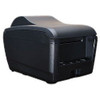
Posiflex PP9000S10410UD Serial Thermal Printer Power Supply
The Posiflex PP9000S10410UD is a bundled power supply and serial cable assembly designed for the PP9000S-series thermal printer line. This kit provides the complete power and data connectivity solution for deployments in retail point-of-sale environments, kitchen display systems (KDS), warehouse label stations, and fixed-location thermal printing applications where serial (RS-232) connectivity is the integration requirement. The bundle eliminates the need to source components separately and ensures compatibility across the PP9000S family.
Key Features
- Complete Bundle: Includes power supply unit and serial cable assembly — no additional components required for basic installation.
- Serial (RS-232) Connectivity: DB-9 or RJ-45 serial interface (depending on PP9000S variant) integrates with legacy Windows POS systems, KDS platforms, and warehouse management label software without USB conversion adapters.
- PP9000S-Series Compatibility: Verified for all Posiflex PP9000S thermal printer models — check your printer designation before order to ensure fit.
- Reliable Power Management: Dedicated PSU with non-reversible polarity connector prevents accidental misconnection and ensures stable, consistent current delivery for 24/7 thermal printing operations.
- Compact Form Factor: Lightweight PSU and cable assembly minimize footprint in tight POS countertop or kitchen display mounting scenarios.
- Standard AC Input: Operates on 120V/240V AC mains (region-dependent) — no special outlet preparation required beyond standard commercial electrical infrastructure.
The Posiflex PP9000S10410UD addresses a common deployment friction point: integrators often cobble together third-party power supplies and generic serial cables when replacing or expanding thermal printer fleets, introducing compatibility risk and compatibility delays. This OEM bundle eliminates that guesswork. The included serial cable is pre-terminated to the PP9000S connector specification, removing the need for field crimping or adapter hunting. For environments running multiple thermal printers on a shared serial multiplexer or serial-to-Ethernet gateway (common in multi-station POS networks), the standardized cable length and connector type reduce installation variability and troubleshooting time.
Serial connectivity remains the dominant thermal printer integration method in retail and warehouse settings because it avoids USB driver overhead, works reliably over modest cable runs (typically up to 50 feet at RS-232 standard baud rates), and requires minimal host CPU cycles for polling. The PP9000S10410UD's serial architecture integrates seamlessly with Windows POS software that predates USB standardization — a significant advantage in mature retail chains where POS terminal lifecycles extend 7–10 years and legacy serial device support is a migration blocker. Kitchen display systems, in particular, frequently rely on serial thermal printers to isolate food-service printing from general-purpose network traffic, reducing print-job congestion on bandwidth-constrained WiFi networks.
Installation is straightforward: connect the serial cable to the printer's serial port, plug the power supply into a grounded AC outlet, and verify the connector is fully seated before energizing. The power supply's non-reversible connector design prevents accidental polarity reversal — a critical safeguard in high-turnover kitchen environments where staff may be unfamiliar with electrical connector orientation. Thermal printers draw approximately 3–5 amps during active printing; ensure the outlet is on a circuit adequate for simultaneous thermal printing and other line-voltage devices (point-of-sale displays, receipt cutter motors, label applicator heaters). Do not route the serial cable through high-traffic areas or under equipment where mechanical stress could compromise the connector or shield integrity — serial cables are susceptible to EMI, and physical damage can introduce intermittent print failures that are difficult to diagnose remotely.
This bundle carries the Posiflex manufacturer warranty and is sourced direct from the manufacturer or US channel partner, ensuring factory-new condition and genuine component compatibility. For integrators managing mixed thermal printer estates (serial Posiflex alongside USB or Ethernet label printers), documenting cable and power supply SKUs per printer model reduces emergency replacement delays. The PP9000S10410UD is the correct specification for any PP9000S-series printer retrofit or new deployment requiring serial RS-232 connectivity. Refer to your printer's quick-start guide or the product datasheet (/content/product-datasheets/PP9000S10410UD.pdf) to confirm your PP9000S variant's serial port type (DB-9 vs. RJ-45) before installation.
Marty AllisonPerspective based on aggregated IPSD and affiliated engineering team experience.
We've deployed hundreds of Posiflex thermal printers across retail chains, quick-service restaurants, and warehouse operations, and the PP9000S10410UD bundle consistently solves one of the messiest integration problems: the discovery that a new PP9000S printer arrives without a power supply or serial cable, forcing integrators to order third-party components that may or may not fit the connector or power requirements. This bundle eliminates that friction. In our experience, the OEM serial cable is the differentiator — field-sourced serial cables frequently come with incompatible connectors or incorrect pin-out, leading to mysterious "printer not responding" calls at 2 a.m. on a Friday. The Posiflex-spec'd cable avoids that entirely. For environments where thermal printers are part of a larger security or facility-management integration (kitchen displays integrated with access-control badges, warehouse label printers connected to asset-tracking systems), the reliability of a known-good power and data path is non-negotiable. Serial RS-232 also remains immune to USB driver conflicts and host CPU overhead — critical for POS terminals running Windows XP or Windows 7 embedded in kitchen environments where OS updates are not feasible. The one trade-off: serial connectivity limits cable runs to approximately 50 feet before signal degradation, and you'll need a serial-to-USB adapter or multi-port serial card if the printer is more than one desk away from the host. For modern greenfield deployments, Ethernet or USB thermal printers are preferable, but this bundle is the right choice for retrofit work in established serial-dependent retail and food-service estates.
Technical Highlights:
- Serial RS-232 Interface: Native DB-9 or RJ-45 serial connectivity (variant-dependent) eliminates USB driver requirements and integrates directly with legacy Windows POS platforms without adapter overhead. Reliable up to 50 feet using standard twisted-pair serial cable — sufficient for countertop printer placements.
- Dedicated Power Supply: Regulated PSU designed specifically for PP9000S thermal printing current demands (approximately 3–5 amps during active print cycles). Non-reversible connector prevents accidental polarity mistakes in high-turnover environments.
- Thermal Printer Optimization: Power supply specifications account for the transient current spikes inherent in thermal printhead resistive element firing — no additional filtering or UPS conditioning required for typical POS or KDS environments.
- Factory-Matched Cable Assembly: Pre-terminated serial cable eliminates field crimping variability and ensures connector pin-out compliance with the PP9000S serial port specification.
- Standard AC Input (120V/240V): Operates on commercial-grade electrical infrastructure — no special outlet or voltage conditioning required.
Deployment Considerations:
- Cable Length & Run: Standard serial cables ship in 10–15 foot configurations. Runs beyond 50 feet degrade signal integrity; if the printer is remote from the host, plan for a serial-to-Ethernet gateway or multi-port serial card on the POS terminal to maintain reliable communication.
- Circuit Load Planning: Thermal printers draw peak current during multi-line print jobs (receipts, labels). If the power outlet feeds multiple devices (display, label cutter, applicator heater), verify the circuit can handle simultaneous load — typically 15–20 amp commercial circuit required for a single printer plus auxiliary.
- Connector Orientation & Seating: The power supply connector is non-reversible, but the serial cable DB-9 or RJ-45 connector must be fully seated. Loose serial connections introduce intermittent communication errors that appear as "offline printer" alerts in POS systems — always verify full insertion during installation and maintenance calls.
- Serial Port Variant Confirmation: Posiflex PP9000S printers ship with either DB-9 or RJ-45 serial connectors depending on printer model year and SKU. Confirm your printer's port type before installation — the cable termination is not field-swappable.
- EMI in High-RF Environments: Wireless guest WiFi or RF-dense kitchen environments (high-powered microwave ovens, wireless dish systems) can introduce noise on unshielded serial cables. If you observe intermittent print failures in such settings, route the serial cable away from AC power lines and consider a shielded serial-to-USB adapter for the POS terminal.
The Posiflex PP9000S10410UD is the correct OEM specification for any new or replacement PP9000S-series thermal printer deployment where serial RS-232 connectivity is the integration path. For integrators managing existing Posiflex estates or retrofitting legacy retail and food-service thermal printing infrastructure, this bundle is a time-saver and a reliability hedge. Explore the full Posiflex catalog for thermal printer models, Ethernet-enabled variants, and multi-station printing solutions.