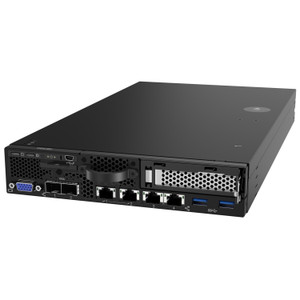
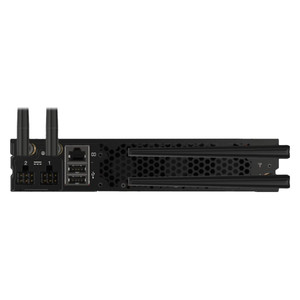
Lenovo 4XF7A84188 ThinkSystem 18.5-Inch 1U Rack LCD KVM Console
Overview
The Lenovo 4XF7A84188 is an 18.5-inch 1U rack-mount LCD console designed for data center and server room deployments where you need local keyboard-video-mouse access without sacrificing rack space. Built around a 1920×1080 panel with a native 16:9 aspect ratio, it integrates a KVM switch directly into the unit — meaning one pull-out drawer handles display, keyboard, and USB peripherals in a single 1U footprint. For IT architects managing dense rack installations, that consolidation matters: no separate KVM shelf, no extra cabling runs, no added rack units consumed by standalone components.
Key Features
- 18.5-inch 1920×1080 LCD Panel: Full HD resolution at 1920×1080 pixels gives you a crisp, readable console interface — important when parsing BIOS screens, boot logs, or dense terminal output at close range in a rack environment. The 41 cm × 23 cm viewable area is enough to run a split terminal session without squinting.
- 1U Rack Form Factor: A single rack unit of vertical space is all this console occupies. In colocation environments or tightly spec'd server racks where every U costs money, that's a meaningful constraint. Pull it out when you need it, slide it back when you don't.
- Built-In KVM Switch: The integrated KVM eliminates the need for a separate switch module. You get keyboard, video, and mouse consolidation in one drawer — reducing cable clutter and potential failure points compared to multi-component console setups.
- 160° Horizontal / 150° Vertical Viewing Angles: Wide viewing angles mean two technicians can review the same screen simultaneously without color shift or brightness falloff — practical during collaborative troubleshooting in a data center aisle.
- 250 cd/m² Brightness: 250 nits is adequate for the controlled lighting conditions typical of server rooms and data centers. It's not designed for sunlit environments, but for a rack console used under fluorescent or LED overhead lighting, it delivers clear visibility.
- 2× USB 2.0 Type-A Ports: Two USB 2.0 ports provide local peripheral connectivity — bootable USB drives for OS installation or recovery, USB security keys, or input devices. Useful during bare-metal provisioning workflows where you need temporary storage access at the console level.
- 1.8 m Cable Length: The included 1.8-meter cable run gives you enough reach to connect to servers positioned within the same rack or an adjacent one without extension cables. Verify your target server's console port location before assuming this length clears your cable management path.
- 10–80% Relative Humidity Tolerance: The operating humidity range covers standard data center environmental specs, so it integrates without concern into facilities following ASHRAE A1 or A2 thermal guidelines.
Integration and Compatibility
The 4XF7A84188 is positioned within the Lenovo ThinkSystem server and data center line, making it a natural fit for racks populated with ThinkSystem SR or ST series servers. As a rack-mount LCD console, it follows standard 19-inch rack mounting conventions and should integrate into any EIA-310-compliant rack enclosure. The built-in KVM is designed for direct server console access — it is not a networked KVM and does not provide remote out-of-band management; for remote access, pair it with Lenovo's XClarity Controller or a dedicated networked KVM switch. The two USB 2.0 Type-A ports support standard HID-class input devices and mass storage — verify USB boot order in your server's BIOS if using the ports for OS deployment.
For environments running mixed-vendor racks, this console functions as a local crash cart replacement. Consider pairing it with a rack cable management arm to keep the 1.8 m cable organized when the drawer is stowed. If your deployment requires simultaneous multi-server access from a single console, evaluate a multi-port KVM solution alongside this unit — the integrated KVM here is oriented toward single-server local access rather than switching across many hosts.
Frequently Asked Questions
Q: Does the Lenovo 4XF7A84188 support remote KVM access over the network?
A: No. The 4XF7A84188 is a local rack console with an integrated hardware KVM switch — it provides direct, physical console access only. For remote out-of-band management, use Lenovo XClarity Controller or a dedicated IP KVM device alongside this unit.
Q: What rack size does the 4XF7A84188 fit?
A: The 4XF7A84188 is a 1U unit designed for standard 19-inch EIA-310-compliant rack enclosures. It occupies one rack unit of vertical space.
Q: How many servers can the built-in KVM switch connect to simultaneously?
A: The evidence does not specify the number of KVM ports. The unit is designed for local console access; confirm multi-server switching capability with Lenovo's ThinkSystem documentation before deploying in a multi-server switching scenario.
Q: What is the display resolution of the 4XF7A84188?
A: The display runs at 1920×1080 pixels (Full HD) with a 16:9 aspect ratio on an 18.5-inch LCD panel.
Q: Does the 4XF7A84188 include a keyboard?
A: The available evidence does not confirm whether a keyboard is included in the box. Contact your Lenovo channel representative or review the ThinkSystem accessories catalog for package contents confirmation.
Q: Can this console be used in non-Lenovo racks or with non-Lenovo servers?
A: Yes — as a standard 1U 19-inch rack console, the 4XF7A84188 physically mounts in any EIA-310-compliant rack. KVM compatibility with non-Lenovo servers depends on the server's console interface type; verify against your server's specifications.
The 4XF7A84188 is one of those components that doesn't get glamorous attention in a rack BOM, but the 1U integrated KVM form factor is exactly what keeps a dense ThinkSystem rack from needing a separate crash-cart when you're doing bare-metal work or BIOS-level troubleshooting. The 1920×1080 panel at 18.5 inches is sharper than older 1024×768 console drawers that still show up in legacy racks — a meaningful difference when you're reading dense boot output or navigating UEFI menus.
Technical Highlights:
- 1920×1080 at 18.5 inches: Full HD resolution on a console drawer means no pixel-hunting during BIOS config or OS installs — the pixel pitch is fine enough to display 80-column terminal output cleanly without scaling artifacts.
- 160° horizontal viewing angle: Two techs can stand side-by-side at the rack face and both read the screen clearly — no color shift or contrast crush at off-axis viewing. Practical during dual-technician server builds or colocation handoffs.
- Integrated KVM + 2× USB 2.0: The built-in KVM with two USB 2.0 Type-A ports means you can plug a bootable USB key directly into the console drawer during OS deployment — no hunting for a separate USB extender or crash-cart cart.
Deployment Considerations:
- The 1.8 m cable is adequate for most same-rack connections, but map your rack's cable management path before ordering — if the target server's console port sits at the bottom of a deep rack, measure carefully before assuming the stock cable clears.
- This is a local-access-only console: no IP KVM, no remote session capability. If your facility operates lights-out with no on-site staff, you'll need a separate out-of-band management solution (Lenovo XClarity Controller or similar) — this unit does not substitute for that.
Best fit: ThinkSystem server deployments in colocation or on-premises data centers where technicians need a reliable local console for provisioning, BIOS work, and emergency recovery — without consuming more than 1U of rack space or adding a standalone crash cart to the floor plan.