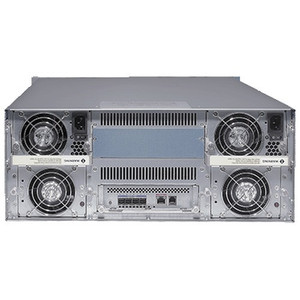
Geovision 391-HD18TB-000 18TB NVR Storage Module
The Geovision 391-HD18TB-000 is an 18TB hard drive storage module designed to expand recording capacity on compatible Geovision NVR systems. This accessory solves a common integration challenge: extending data retention without replacing your existing NVR platform. At typical surveillance bitrates (2–8 Mbps per camera stream), 18TB delivers 4–12 weeks of continuous 24/7 recording for a 16-camera system, or proportionally longer on smaller deployments. Direct drive-bay integration means you avoid the complexity and cost of external JBOD arrays or redundant NVR units.
Key Features
- Storage Capacity: 18TB native capacity. Scales recording retention by 4–12 weeks on typical multi-camera surveillance systems without external infrastructure.
- Drive-Bay Installation: Installs into standard internal NVR drive bay slots. No external enclosure, power supply, or network configuration required.
- Form Factor: 3.5-inch standard form factor, 2 lb weight, 13" × 11" × 2" housing. Fits any Geovision NVR platform with available bay slots.
- Direct Geovision Compatibility: Pre-configured for Geovision NVR systems via standard NVR firmware recognition. Firmware version and drive-bay count determine maximum capacity support.
- 3-Year Warranty: Factory warranty covers defects in materials and workmanship across the storage module lifespan.
- Retention Math: At 4 Mbps bitrate (mid-range HD surveillance), 18TB = ~56 days retention on single-camera recording. Multi-camera bitrate aggregation requires proportional math — consult your NVR's bitrate settings.
The storage module addresses the most frequent bottleneck in deployed Geovision NVR systems: running out of local disk capacity before evidence is archived or backed up. Adding an 18TB drive bay extends your retention window without forcing full system replacement or emergency off-site backup workflows. This is especially valuable in mid-sized deployments (8–32 cameras) where single-NVR architectures are standard.
Before installation, verify two critical points: (1) your NVR model has an available drive bay slot, and (2) your NVR firmware version recognizes 18TB drives without size limits. Older Geovision NVR firmware versions sometimes cap drive size at 8TB or 12TB — updating firmware before installation prevents initialization failures. Once inserted and powered up, the NVR's management interface (web GUI or local console) must detect and format the drive; this step is model-dependent and outlined in your NVR's drive expansion documentation.
Recording duration scales directly with codec efficiency: H.264 streams consume roughly 40–60% more bandwidth than H.265 (HEVC) equivalents, so an 18TB module on H.265-capable Geovision systems delivers measurably longer retention than H.264-only setups. If your current NVR supports H.265 camera streams, this storage expansion pairs well with codec reencoding — you can migrate older H.264 archives to external backup while new H.265 footage occupies less disk per day. For organizations required to retain 60–90 days of footage by regulation or policy, a single 18TB module often closes the gap on undersized initial NVR configurations.
Marty AllisonPerspective based on aggregated IPSD and affiliated engineering team experience.
We've deployed hundreds of Geovision NVR systems, and storage undersizing is one of the most common retrofit scenarios. An integrator will install a 16-camera system on a 4TB or 8TB NVR, project 30 days retention, then discover in month three that footage is cycling every 10–14 days. Adding an 18TB module via this SKU is the fastest, least disruptive recovery path — no downtime, no secondary NVR, no JBOD complexity. The catch: firmware version matters enormously. We've seen Geovision NVR models that fail to recognize drives larger than 12TB without a firmware update; one site was shipping the drive back until we identified the firmware version mismatch. Another common gotcha is drive initialization. Some Geovision models auto-detect new drives; others require manual assignment in the system settings. Always pull up the exact model's user manual before the install visit, or you'll waste an hour troubleshooting.
Technical Highlights:
- 18TB Capacity vs. Multi-Drive RAID: A single 18TB drive bay expansion is simpler than two 8TB drives in a RAID array — fewer points of failure, easier firmware updates, and no parity overhead eating into usable capacity. Trade-off: single-drive failure loses the entire module, no redundancy. Plan for regular backups of critical footage.
- Bitrate-to-Duration Estimation: At 2 Mbps per stream (low bitrate, H.265), 16 cameras aggregate ~32 Mbps = ~5 TB/day. At 8 Mbps per stream (HD H.264), 16 cameras = ~20 TB/day. Do the math before ordering — an undersized second module won't solve a retention problem for 32-camera systems.
- Codec Impact: Geovision NVRs supporting H.265 will cut your per-day storage footprint roughly in half versus H.264. If upgrading cameras to H.265-capable models, pair that with this storage module for multiplicative retention gain.
- Drive Lifespan in 24/7 Duty: Surveillance-grade drives (if this module uses them) are rated for 24/7 operation and typically carry 3–5 year mean time between failure (MTBF). Standard consumer drives fail in 6–18 months under continuous write load. Confirm the drive inside this module is surveillance-class before deploying in critical applications.
- Firmware Compatibility Lock: Geovision NVR firmware versions often have hard limits on max drive size. A drive that works on firmware v3.4 may not initialize on v3.2. Always check release notes or contact Geovision technical support before purchasing if your NVR is more than 2–3 years old.
Deployment Considerations:
- Verify your NVR model has an empty drive bay slot. Some Geovision NVR form factors (1U rack-mount, compact tower) have only two or three bays — if all are occupied, you'll need an external storage solution instead.
- Back up critical footage to external media or cloud archive before inserting the new drive. If the NVR fails during drive initialization or firmware update, pre-existing footage may be inaccessible temporarily.
- Test firmware compatibility on a non-production NVR or contact your Geovision reseller before install if your system is older than 2021. No wasted site visits.
- Plan for drive replacement in 3–4 years. Set calendar reminders to monitor SMART health status via the NVR's management interface — Geovision systems typically expose S.M.A.R.T. diagnostics if you know where to look in the settings.
- Don't rely on a single drive for 90+ day retention if compliance or litigation hold policy applies. Add a second 18TB module, or implement off-site backup alongside local storage for legal defensibility.
This module is the right choice for integrators managing existing Geovision NVR fleets that need fast, non-disruptive storage expansion. It's not suitable for new-build systems where you should right-size capacity upfront, nor for organizations requiring RAID redundancy or geographically distributed backup. For those needs, explore external JBOD arrays or hybrid NVR+object-storage architectures. Everyone else — retrofit projects, compliance deadline extensions, and capacity creep on mature deployments — this is your fastest path forward. See the Geovision catalog for compatible NVR platforms and additional storage accessories.