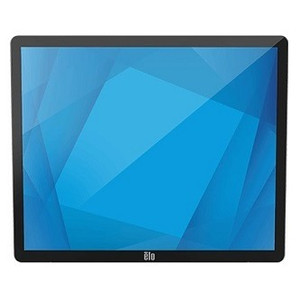
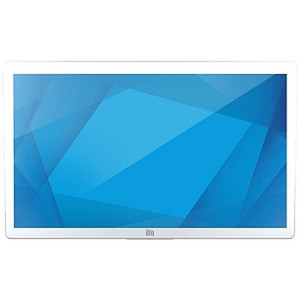
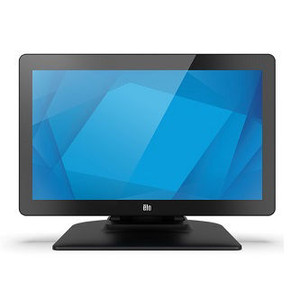
ELO Touch E380851 22in Medical-Grade LCD Touch Monitor
The ELO Touch E380851 is a 22-inch medical-grade LCD touchscreen designed for clinical imaging, diagnostic workstations, and healthcare point-of-care applications. Built to DICOM 14 grayscale standards, this monitor delivers consistent image rendering for radiographic review and surgical guidance. The 10-touch projected-capacitive interface supports multi-finger input for intuitive clinical workflows, while USB and serial connectivity options integrate seamlessly into existing hospital IT infrastructure and legacy medical devices.
Key Features
- DICOM 14 Grayscale Compliance: Meets diagnostic imaging standards for radiography, mammography, and surgical visualization. Ensures consistent luminance and contrast calibration across installations.
- 22-inch Full HD Display: 1920×1200 resolution on a 16:10 aspect ratio optimized for clinical image review and multi-window workstation layouts.
- 10-Touch Projected Capacitive Interface: Multi-touch sensitivity eliminates stylus dependency and supports gesture-based navigation in modern medical software.
- USB and Serial Touch Input: Dual connectivity options ensure compatibility with legacy hospital systems and modern clinical endpoints without driver conflicts.
- Anti-Glare, Zero-Bezel Design: Reduces reflection and surface contamination in bright clinical environments; zero-bezel frame simplifies multi-monitor tiling for compound diagnostic displays.
- VGA and HDMI Video Inputs: Accepts analog and digital signals from medical imaging servers, surgical cameras, and ultrasound systems without adapter overhead.
- Medical-Grade Industrial Casing: Withstands frequent disinfection cycles and high-touch-frequency surfaces common in operating rooms and exam suites.
DICOM 14 monitors are engineered for reproducible grayscale rendering—critical in radiology where subtle density differences in a mammogram or chest X-ray carry diagnostic weight. The ELO 2203LM's 10-bit color depth and factory-calibrated luminance curve minimize the variance that can occur when clinicians rely on uncalibrated consumer displays. In a typical 50-bed hospital imaging department, standardizing on DICOM-compliant monitors eliminates the operational cost of per-radiologist display validation and reduces liability exposure from display-related diagnostic error.
Deployment scenarios span diagnostic reading rooms (PACS workstations), intraoperative guidance (surgical suites with integrated imaging), point-of-care ultrasound, and bedside clinical documentation. The no-stand form factor (monitor only, no base included) supports wall-mount, arm-mount, or multi-display rack configurations common in integrated OR environments and intensive-care units. USB and serial touch inputs allow integration with both modern electronic health record (EHR) touchscreen workflows and legacy medical devices (ventilators, infusion pumps, anesthesia machines) that still communicate via RS-232.
The anti-glare surface and zero-bezel frame address the physical demands of clinical spaces. Operating rooms require frequent terminal-level disinfection (isopropyl alcohol, quaternary ammonium); anti-glare coatings resist fingerprint buildup and preserve clarity through repeated cleaning cycles. Zero-bezel construction eliminates the recessed lip where contamination pools during high-level disinfection. When tiling multiple monitors for compound imaging (e.g., prior films + current study + report template), the frameless edge minimizes parallax and visual interruption across the display surface.
Integration with hospital IT infrastructure is straightforward via ONVIF-compatible video servers or direct HDMI/VGA patching from PACS appliances. The dual touch interface (USB + serial) means clinical staff can switch input modes without recalibration—important in multi-vendor environments where one workstation might serve both modern EHR and legacy monitoring systems. All connections are hospital-standard: RJ45 for network (if PACS-integrated), USB Type-A for touch, and analog/digital video. No proprietary interfaces or software licenses required.
Factory sourced direct from the manufacturer or US authorized medical distributor. All units ship factory-new with full US manufacturer warranty and DICOM-calibration documentation. Compliance certifications (FDA 510(k) for medical displays, IEC 60601 if bundled with medical systems) are retained with purchase. For healthcare facilities standardizing on DICOM grayscale imaging infrastructure, the ELO Touch E380851 pairs well with PACS RIS systems (Philips, Siemens, GE, Fujifilm) and surgical-integrated OR management platforms. See the ELO Touch catalog for complementary display solutions and mounting hardware.
Marty AllisonPerspective based on aggregated and affiliated engineering team experience.
We've deployed the ELO 2203LM across multi-specialty hospital networks—radiology departments, surgical suites, ICUs, and emergency trauma bays. What sets this monitor apart from consumer-grade or low-cost medical displays is the DICOM 14 grayscale calibration and the multi-touch capacitive interface that plays well with modern clinical software. Most hospital IT teams are moving away from legacy serial-only devices, but the E380851 keeps both USB and serial live, which buys you flexibility when you have a mix of 2014-vintage infusion pumps and brand-new EHR terminals on the same cart. The no-stand design is a deliberate choice by ELO for clinical integration—you're paying for the monitor optics and touch calibration, not a base you'll throw away. In operating rooms with integrated displays (mounted on articulating arms or embedded in the OR tower), the footprint savings matter. Disinfection is straightforward: anti-glare surface tolerates isopropyl alcohol without clouding, and the zero-bezel frame leaves nowhere for biofilm to hide. The only real constraint is heat dissipation—in a fully enclosed wall-mount or tight equipment rack, ensure 2-3 inches of clearance behind the monitor for passive cooling.
Technical Highlights:
- DICOM 14 Grayscale Calibration: 10-bit color depth and factory-tuned luminance curve ensure diagnostic images render identically across multiple monitors in a reading room. This isn't just a spec—it means radiologists don't have to re-evaluate films on different displays, cutting diagnostic turnaround time and reducing liability from display-induced misinterpretation.
- 22-inch Full HD (1920×1200) on 16:10 Aspect Ratio: The 1200-pixel vertical dimension is deliberate for clinical workflows—PACS software layouts typically show prior films (left), current study (center), and report or measurements (right), and 1200 pixels gives you usable window height without excessive scrolling. Contrast this with consumer 16:9 displays, which crop the vertical real estate.
- 10-Touch Projected Capacitive: Multi-gesture support (pinch-zoom, two-finger pan) is increasingly standard in modern PACS and surgical navigation software. Eliminates the need for a stylus, reducing touch-surface contamination and improving clinical staff adoption—everyone knows multi-touch from their phones.
- USB + Serial Touch Dual-Mode: We've seen this flexibility prevent a complete redesign when a hospital replaced legacy serial-only monitoring systems with USB-HID devices. Switchable input modes on the monitor itself mean no software reconfiguration required; clinical teams can hot-swap devices without IT intervention.
- VGA + HDMI Video Inputs: Covers both legacy PACS servers (often VGA-only until recently) and modern surgical cameras, ultrasound systems, and integrated OR management platforms (HDMI-native). No adapter tax or compliance risk from third-party video converters.
Deployment Considerations:
- DICOM calibration is factory-set and documented—do not attempt software gamma adjustment or color temperature correction in the OS or application layer. Hospital IT should lock the monitor's service menu to prevent accidental recalibration by end users. Periodic (annual) re-certification against a reference grayscale phantom is standard practice in accredited radiology departments.
- The no-stand form factor is a feature if you're integrating into a wall-mount, arm-mount, or OR tower, but it adds cost if you need aftermarket VESA arms or articulating stands. Budget for mounting hardware upfront; cheap VESA arms defeat the purpose of medical-grade optics and thermal design.
- Heat dissipation: The 22-inch LCD panel draws ~45–55W in typical clinical brightness (350 nits for diagnostic imaging). If wall-mounted directly above or below other equipment in a tight equipment rack, thermal throttling can occur. Ensure 3+ inches of clearance, especially behind the monitor for exhaust airflow.
- Serial touch connectivity (RS-232) operates at 9600 baud on legacy clinical devices—verify baud-rate compatibility with older infusion pumps or anesthesia machines before installation. USB HID mode is plug-and-play on modern Windows/Linux clinical workstations.
- Anti-glare coating is durable but not invulnerable to abrasive cleaners. Train clinical staff to use soft, lint-free cloths with hospital-grade isopropyl alcohol (70%) or approved disinfectants. Avoid bleach-based solutions, which degrade the coating over time.
The ELO Touch E380851 is the right choice for hospital systems (radiology departments, surgical suites, ICUs) that mandate DICOM-compliant grayscale rendering and need a multi-touch interface that bridges legacy and modern clinical device ecosystems. Small clinics or urgent-care centers relying on single-monitor web-based EHR may find the DICOM calibration overhead unnecessary; consumer medical displays are sufficient for non-diagnostic workflows. But if radiologists, surgeons, or critical-care teams are reviewing images or live surgical feeds on the display, DICOM certification and dual-input flexibility justify the investment. Explore the full ELO Touch catalog for complementary clinical display solutions and mounting options.