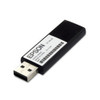
Epson C32C891321 USB Wireless Dongle
Overview
The Epson C32C891321 is a dual-band USB wireless dongle engineered to add Wi-Fi connectivity to compatible Epson printers without requiring direct Ethernet connections. Supporting both 5GHz and 2.4GHz frequencies, this adapter enables flexible network deployment in warehouse, retail, and office environments where cable runs are impractical or where you need mobility across multiple printer locations.
By adding wireless capability to a printer that would otherwise require a wired connection, the C32C891321 eliminates infrastructure constraints — no need to run Ethernet to every printer location, no switch port overhead. The dual-band design means you can connect to less-congested 5GHz networks when available, or fall back to 2.4GHz for broader coverage and compatibility with legacy access points.
Key Features
- Dual-Band 802.11ac/n Support: Operates on both 5GHz and 2.4GHz frequencies, giving you the flexibility to choose a less-congested band depending on your wireless environment. 5GHz reduces interference from microwave ovens and older Wi-Fi devices common in warehouse and retail settings.
- USB Connectivity: Connects directly to the printer's USB port — no separate power supply or complex configuration required. Most Epson printers with a USB Type-B port can accommodate this dongle without firmware updates or special drivers beyond what the printer already includes.
- Wireless Network Configuration: Configuration occurs through the printer's control panel or web management interface, reducing deployment time. You set SSID, password, and IP assignment once and the printer maintains the connection across power cycles.
- Warehouse and Retail Deployment: Ideal for environments where printers are relocated frequently or where adding permanent infrastructure is not feasible. Common use cases include mobile label printing stations, multi-location retail sites, and dynamic warehouse zones that reconfigure monthly or quarterly.
- Broad Compatibility: Integrates with Epson printer systems that support USB wireless peripherals. Verify your specific printer model supports USB wireless modules before ordering — not all Epson models in production accept external wireless adapters.
- No Separate Power Draw: The dongle draws power from the printer's USB bus, eliminating the need for an additional power supply or outlet. This keeps cable clutter minimal and reduces the total power footprint of the printing station.
Integration & Compatibility
Installation is straightforward: connect the C32C891321 to an available USB port on your printer, power on, and configure wireless settings via the printer's web interface or control-panel menu. Most Epson workgroup and production printers recognize the dongle automatically without requiring driver installation on the printer itself.
Network integration follows standard 802.11 protocols. The dongle supports WPA2/WPA3 encryption, so it integrates safely into corporate Wi-Fi networks with MAC filtering, VLAN segmentation, or enterprise authentication. If your network requires a static IP or uses DHCP with reservation, configure that in the printer's network settings after the dongle is paired.
Before deploying across multiple printers, test the C32C891321 on one unit to confirm range and throughput in your specific environment. Warehouse buildings with metal racks or significant RF shielding may see reduced 5GHz range; in those cases, 2.4GHz becomes your primary band even though it has lower bandwidth.
Frequently Asked Questions
Q: Is the Epson C32C891321 compatible with all Epson printer models?
A: No. Compatibility is limited to Epson printers with USB wireless support. Check your printer's specifications or contact the manufacturer to confirm it accepts external USB wireless modules before purchasing.
Q: Can I use the C32C891321 on a 5GHz-only network?
A: The dongle supports both 5GHz and 2.4GHz, so you can connect to a 5GHz network. However, some older access points broadcast only 2.4GHz. Verify your wireless network supports at least one of these bands before deploying.
Q: Does the C32C891321 require a power supply or special cable?
A: No. It draws power directly from the printer's USB port and requires only the USB connection — no external power supply or additional cables.
Q: What wireless security standards does the C32C891321 support?
A: The dongle supports WPA2 and WPA3 encryption, making it suitable for enterprise networks with security policies. Configure the encryption standard in the printer's network setup menu.
Q: How far can the C32C891321 transmit in a warehouse environment?
A: Range depends on frequency and obstructions. 5GHz offers higher bandwidth but shorter range; 2.4GHz penetrates obstacles better. Test in your specific environment before full deployment, especially if you have metal racks or RF-dense areas.
Ted PerryPerspective based on aggregated IP Security Depot and affiliated engineering team experience.
The Epson C32C891321 solves a specific problem: adding wireless printing to Epson printers in environments where you cannot or should not run Ethernet. The dual-band design (5GHz and 2.4GHz) is critical here — it gives you the ability to steer traffic away from interference on the 2.4GHz band, which is saturated in most industrial and retail sites with multiple Wi-Fi networks and Bluetooth devices all competing for airtime.
Technical Highlights:
- 802.11ac/n dual-band operation: 5GHz reduces latency and RF interference compared to 2.4GHz-only designs; if your network is crowded with legacy devices, the 5GHz path keeps print jobs moving faster.
- USB power delivery: Zero additional power infrastructure required — the C32C891321 draws all power from the printer's USB bus. This matters in warehouse settings where every outlet is accounted for and adding a power supply means rerouting circuits.
- WPA2/WPA3 support: Enterprise-grade encryption means this dongle integrates into corporate networks without requiring a guest SSID or unencrypted fallback. Most IT teams will accept it without friction.
Deployment Considerations:
- Compatibility must be verified upfront: Not every Epson printer model supports USB wireless modules. If you're planning a fleet deployment across 20 printers, confirm compatibility on at least two units from each model line before placing a bulk order.
- 5GHz range is shorter than 2.4GHz: If your printer will sit in a metal rack 60+ feet from the nearest access point, or behind RF-dense inventory, the 5GHz band may drop to marginal signal levels. Test placement first; 2.4GHz will be your fallback.
- No integrated print server or buffer: The C32C891321 is a passive wireless interface, not a print server. If your network loses connectivity, print jobs queued on the printer will not automatically resend. Configuration and monitoring still occur through the printer's web interface.
Best suited for mobile or semi-permanent printer deployments in office and warehouse environments where you need faster site setup than running cable, but not the complexity of a full network-attached print server. If printers are fixed installations in a facility where cable runs are already in place, wired Ethernet remains simpler and more reliable.