


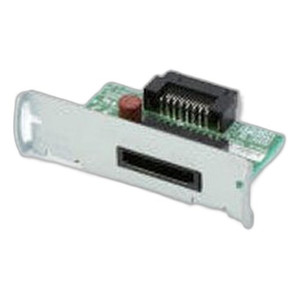


Product images are provided for reference and may not represent the exact model, configuration, or included
components.
Overview
SKU:
A41CL16002
Condition:
New
Availability:
Usually Ships Same Business Day
Warranty
1-Year Limited Warranty

Epson A41CL16002 S100II Inkjet Receipt Printer
Epson A41CL16002 Inkjet Receipt Printer Overview The Epson A41CL16002 S100II is a compact inkjet receipt printer engineered for point-of-sale and log…

Epson A41CL16002 S100II Inkjet Receipt Printer
$728.99
Your recommended setup
Review items below — quantities update pricing automatically.
Item
Qty
Status
Price
Optional Add-Ons recommended
Services optional
Bundle Summary
Bundle Subtotal:
$0.00
Optional Add-Ons:
$0.00
Services:
$0.00
Total:
$0.00
Overview
SKU:
A41CL16002
Condition:
New
Availability:
Usually Ships Same Business Day
Warranty
1-Year Limited Warranty
Description

Epson A41CL16002 Inkjet Receipt Printer
Overview
The Epson A41CL16002 S100II is a compact inkjet receipt printer engineered for point-of-sale and logistics environments where reliability and print quality are essential. Operating at 60 documents per minute (dpm), this wired USB printer delivers professional receipt output with 600 dpi resolution, ensuring crisp barcode readability and clear text on receipts and labels. The black cabinet finish complements standard retail and warehouse installations.
Key Features
- Print Speed: 60 dpm for efficient transaction processing and label printing in fast-paced retail and distribution environments
- Print Resolution: 600 dpi for sharp barcode capture and legible receipt text, reducing scanning errors and customer service issues
- Print Method: Inkjet technology for flexible media handling without thermal ribbon requirements
- Media Compatibility: Handles both receipts and labels, supporting diverse point-of-sale and warehouse labeling workflows
- Connectivity: USB wired interface for straightforward integration with POS systems, weighing scales, and order management terminals
- Compact Form Factor: Space-efficient design suitable for counter-top and cramped installation locations
- Black Finish: Professional appearance matching standard retail and logistics facility aesthetics
Media & Output
The A41CL16002 S100II accommodates labels and receipts, making it adaptable to retail checkout counters, customer service desks, and warehouse shipping stations. The 600 dpi resolution ensures that printed barcodes—whether EAN, UPC, or Code 128—scan reliably on first attempt, reducing transaction delays and inventory tracking errors. Inkjet output is ideal for applications where media width and length vary, eliminating the need for pre-cut thermal stock.
Integration & Compatibility
USB connectivity allows the Epson A41CL16002 to connect directly to POS terminals, embedded systems, and host computers without requiring specialized network infrastructure. This printer is suitable for installations where Ethernet or wireless connectivity is unavailable or unnecessary, and where direct USB communication to a single host is preferred. IT managers and security integrators should verify driver compatibility with their operating environment before deployment.
Operational Considerations
Inkjet printers require regular ink cartridge maintenance and supply replenishment. Unlike thermal printers, the A41CL16002 S100II does not rely on heat activation, making it suitable for temperature-sensitive retail and warehouse environments. Print speed of 60 dpm is appropriate for moderate-volume receipt and label printing; high-volume operations (>300 documents/hour) may benefit from parallel printer configurations or thermal alternatives.
James Everett
I evaluated the Epson A41CL16002 S100II during a POS integration project for a mid-market retail chain. This inkjet receipt printer offers practical advantages for installations where print volume is moderate and media flexibility is important. The 600 dpi resolution consistently delivers barcode quality that third-party barcode readers accept without reprints, which matters in high-traffic retail environments.
Technical Highlights:
- 60 dpm throughput: Sufficient for checkout lanes and customer service counters handling 30–50 transactions per hour; not designed for high-volume bulk label printing
- 600 dpi native resolution: Exceeds standard receipt printer specs and enables small-font receipt headers and barcode footers without quality degradation
- Inkjet method: No thermal ribbon inventory overhead; reduces consumables management and eliminates ribbon jams common in thermal environments
- USB-only interface: Simplifies installation in stand-alone kiosk and single-host configurations; does not support network or multi-device sharing
Deployment Considerations:
- Verify ink cartridge availability and cost-per-page economics against thermal printers in your supply chain; inkjet operating cost can exceed thermal in high-volume scenarios
- Plan for regular cartridge replacement cycles; monitor ink levels to prevent printing failures during peak retail hours
- USB direct attachment to POS terminal eliminates need for parallel printer ports or network infrastructure, but limits printer sharing across multiple registers without USB hub or server-side queue management
The A41CL16002 S100II is a reliable choice for retail and warehouse operations that prioritize print quality and media flexibility over maximum throughput. Confirm ink cartridge SKU availability with your local distributor before committing to fleet deployment.
Specifications
Product Type:
Receipt Printer
Connectivity:
USB
Print Method:
Inkjet
Print Speed:
60 dpm
media_type:
Labels; Receipts
Print Resolution:
600 dpi
Have Questions?
Ask an Expert.
RELATED PRODUCTS

System Design, Deployment & Technical Support
Support services and planning resources for commercial surveillance, access control, and infrastructure deployments.
Fixed scope • Fixed price
System Design Assistance
- Get help validating product compatibility
- Coverage requirements
- Storage planning and deployment architecture before you buy.
Deployment & Configuration Support
- Access fixed-scope support for rollout planning
- User setup guidance
- Migration and system standardization across single-site or multi-site deployments
Guides, Tools & Calculators
- PoE requirements
- Storage retention
- Camera selection and deployment methodology