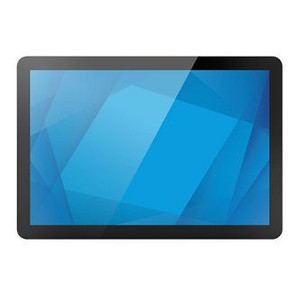

Product images are provided for reference and may not represent the exact model, configuration, or included components.

Overview

SKU: E610090
Condition: New
Write a Review 0% OFF

ELO Touch Elo 1099L VGA to VGA Locking Cable - E610090

ELO Touch E610090 VGA to VGA Locking Cable Overview The E610090 is a VGA-to-VGA locking cable designed for ELO Touch Elo 1099L displays. This cable pr…

$27.00 $26.99 SAVE $0
Usually Ships Same Business Day
In stock

Quantity:

Adding to cart… The item has been added
Compatibility guidance available for your deployment
Experts for pre and post-sales support
Technical and documentation support
Shipping and lead-time confirmation before install

Laura Bennett, IPSD Senior Specialist

Talk to Laura

Specialized training • U.S - based

Senior Specialist • 877-277-7147

ELO Touch Elo 1099L VGA to VGA Locking Cable - E610090

$27.00
$26.99

Overview

SKU: E610090
Condition: New

No Bots, Just Experts

Questions about this product? Free pre-sales support from a senior specialist — product questions, compatibility checks, BOM quotes, price confirmation — typically answered within one business day. Need camera placement or system design work? Engineering time is $175 per hour (qty 1 = 1 hour). Hardware buyers get up to one hour ($175) credited back on their order.

Description

ELO Touch E610090 VGA to VGA Locking Cable

Overview

The E610090 is a VGA-to-VGA locking cable designed for ELO Touch Elo 1099L displays. This cable provides secure video signal transmission between a host system and the 1099L monitor, with locking connectors that prevent accidental disconnect during operation — critical in retail, warehouse, and surveillance control room environments where cable pull or vibration could interrupt video feed to critical displays.

Compatibility

The E610090 is specified for ELO Touch Elo 1099L touchscreen displays. Verify your display model before ordering; this cable is designed for the exact 1099L form factor and connector type.

Installation Notes

Use standard VGA locking connector installation: insert the cable into the VGA port on both the source device and the Elo 1099L display, then hand-tighten the locking screws on each end to secure the connection. Do not over-tighten — finger-tight plus one-quarter turn is sufficient. Route the cable away from AC power lines and high-voltage sources to avoid signal interference. For longer runs (over 25 feet), consider signal conditioning to maintain image quality.

Specifications
Brand: ELO Touch
MPN: E610090
Connectivity: VGA
Q&A
Reviews
Have Questions? Ask an Expert.

RELATED PRODUCTS

System Design, Deployment & Technical Support

Support services and planning resources for commercial surveillance, access control, and infrastructure deployments.

Fixed scope • Fixed price

System Design Assistance

  • Get help validating product compatibility
  • Coverage requirements
  • Storage planning and deployment architecture before you buy.
Request Design Help

Deployment & Configuration Support

  • Access fixed-scope support for rollout planning
  • User setup guidance
  • Migration and system standardization across single-site or multi-site deployments
View Support Services

Guides, Tools & Calculators

  • PoE requirements
  • Storage retention
  • Camera selection and deployment methodology
Open Technical Resources