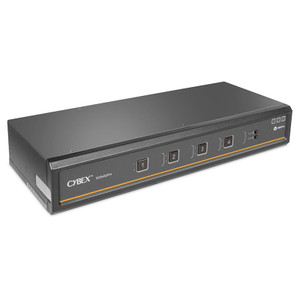
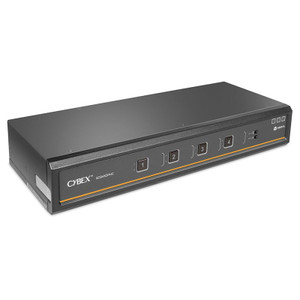
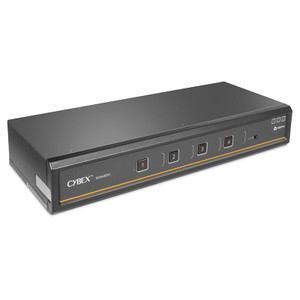
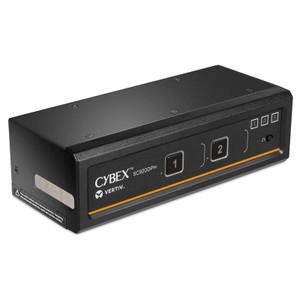
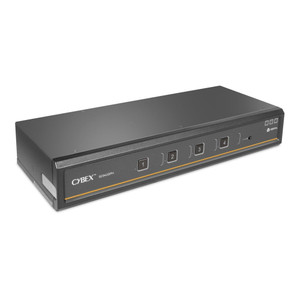
Vertiv SC940DPHC-400 Secure Desktop KVM Switch
Overview
The Vertiv SC940DPHC-400 is a secure desktop KVM switch from the Cybex SC900 series, built for environments where physical signal isolation between connected computers is non-negotiable. Designed for classified, government, finance, and high-assurance enterprise workstations, this unit handles dual 4K UHD video outputs — one DisplayPort and one HDMI — while enforcing strict port isolation to prevent cross-contamination between connected systems. If your deployment requires a KVM switch that meets regulated security posture requirements rather than just convenience switching, the SC940DPHC-400 is engineered to that standard. SC940DPHC-400 (often searched as SC940DPHC 400) reflects Vertiv's commitment to hardware-enforced security at the desktop layer.
Key Features
- 4K UHD Dual-Head Video (3840 x 2160 @ 60 Hz): Supports simultaneous output to two displays at full 4K resolution with 60 Hz refresh — practical for workstation setups running CAD, GIS, or multi-domain analyst tools where downscaling to 1080p is unacceptable. No compression artifacts; signal passes through discrete hardware paths.
- Dual Video Outputs — DisplayPort and HDMI: One DisplayPort and one HDMI console output means you can drive a mixed monitor environment without adapters. The two console DisplayPort ports and two host-side video ports cover a range of modern display hardware without introducing conversion latency or signal degradation.
- USB-C and USB-B Host Connectivity: One USB 2.0 Type-C port and one USB 2.0 Type-B port on the host side accommodate both modern and legacy workstations. Operators switching between a newer USB-C laptop and a tower with USB-B can do so from the same switch — no peripheral reconfiguration required.
- USB Type-A Hub Ports (x2): Two USB 2.0 Type-A hub ports on the console side support keyboard and mouse — or additional peripherals — without requiring a separate hub. In secure environments, the number of active USB paths matters; this keeps the peripheral surface minimal and auditable.
- 3.5mm Headphone Output: A single 3.5mm headphone jack on the console provides audio monitoring capability. One output per console is standard for this switch class; if multi-channel audio switching is required per computer, that constraint should factor into your selection.
- LED Status Indicators: Onboard status LEDs give at-a-glance confirmation of which host port is active and the current state of the switch — useful in secure operations centers where silent, visual confirmation is preferred over audible cues.
- Non-Rack Form Factor (Desktop): This unit is not rack-mountable, which positions it for individual analyst workstations and secure desktop environments rather than server room or rack-dense deployments. The compact black chassis keeps desk real estate impact low.
- Multi-Certification Compliance (FCC Class A, CE, TUV US, TUV Canada, RCM, VCCI): Coverage across North American, European, Australian, and Japanese regulatory frameworks means procurement and compliance teams can deploy this switch in multinational enterprise environments without per-region certification work. FCC Class A classification is appropriate for commercial and government facility use.
Integration and Compatibility
The SC940DPHC-400 integrates into secure desktop KVM deployments where USB keyboard and mouse switching is the primary peripheral model. USB Type-A hub ports pair with standard HID peripherals; no proprietary keyboard or mouse is required. The dual-head video architecture suits workstations driving dual-monitor setups common in financial trading, intelligence analysis, and engineering environments. When planning your KVM infrastructure, review your KVM cabling requirements — DisplayPort and HDMI cable lengths and quality directly affect 4K signal integrity at 60 Hz. Vertiv's broader Vertiv KVM and data center infrastructure portfolio offers companion products for larger multi-user switching environments.
This switch is not designed for rack-mounted multi-user KVM deployments; for those scenarios, consider a rackmount unit within the Cybex line. The secure architecture is hardware-enforced, which means firmware-based configuration changes are intentionally limited — plan your port assignments before deployment, as reconfiguration options are constrained by design.
Frequently Asked Questions
Q: What video resolutions does the SC940DPHC-400 support?
A: The SC940DPHC-400 supports up to 3840 x 2160 (4K Ultra HD) at 60 Hz on both its DisplayPort and HDMI console outputs.
Q: Does the SC940DPHC-400 support rack mounting?
A: No. The SC940DPHC-400 is a desktop form factor unit and is not rack-mountable. It is designed for individual secure workstation deployments.
Q: What USB host connection types does the SC940DPHC-400 provide?
A: It includes one USB 2.0 Type-B port and one USB 2.0 Type-C port for host connections, supporting both legacy and modern workstations.
Q: What certifications does the SC940DPHC-400 hold?
A: The SC940DPHC-400 is certified FCC Class A, CE, TUV US, TUV Canada, RCM, and VCCI — covering North American, European, Australian, and Japanese regulatory requirements.
Q: Does the SC940DPHC-400 include audio switching?
A: Yes. There is one 3.5mm headphone output on the console side for audio monitoring. This is a single output; multi-channel or per-computer audio switching is not provided by this model.
Q: How many USB hub ports are available on the console side of the SC940DPHC-400?
A: There are two USB 2.0 Type-A hub ports on the console side, suitable for connecting keyboard, mouse, or other HID peripherals.
The SC940DPHC-400 is the unit I recommend when a deployment specifically requires hardware-enforced isolation between computing domains at 4K resolution. The dual-head configuration — one DisplayPort and one HDMI at 3840x2160 @ 60 Hz — is what separates this from older secure KVM units that max out at 1080p or require you to sacrifice resolution for compliance.
Technical Highlights:
- 4K @ 60 Hz Dual-Head Output: 3840x2160 at 60 Hz on both display ports means no resolution compromise in high-assurance environments running modern displays — important when your analysts are working with geospatial or engineering toolsets that demand pixel density.
- USB-C + USB-B Host Ports: Having both Type-C and Type-B on the host side is a real operational benefit in mixed-fleet environments. You are not forced to standardize hardware generations before deploying the KVM layer.
- Six-Region Certification Coverage (FCC/CE/TUV/RCM/VCCI): Procurement teams in multinational organizations can use a single SKU across NA, EU, AU, and JP facilities — no regional variants to track, no compliance gaps to audit.
Deployment Considerations:
- This is a desktop-only unit — no rack ears, no 1U option. If your secure operations center is rack-building workstation KVM infrastructure, this is not the right chassis; look at the rackmount Cybex variants instead.
- The 3.5mm headphone output is a single console-side jack. If your workflow requires independent audio switching per connected host, you will need supplemental audio switching hardware — this unit does not provide per-computer audio routing.
The SC940DPHC-400 is a strong fit for dual-domain analyst workstations in classified or high-compliance environments — think intelligence fusion centers, secure trading floors, or defense contractor engineering bays — where 4K dual-head output and multi-region certification are requirements, not nice-to-haves.