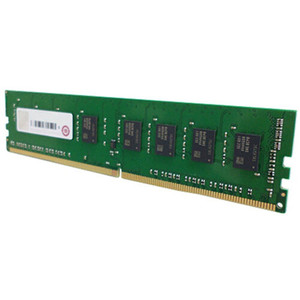
QNAP RAM-48GDR5ECG0-UD-5600 48GB DDR5 ECC UDIMM Memory Module
Overview
The RAM-48GDR5ECG0-UD-5600 is a 48GB DDR5 ECC UDIMM running at 5600MHz, designed to expand memory capacity in compatible QNAP NAS systems. ECC (Error-Correcting Code) memory actively detects and corrects single-bit memory errors in real time — critical in always-on NAS environments where silent data corruption can compromise file integrity across thousands of stored files. At 48GB per module, a fully populated four-slot system reaches the 192GB maximum, giving ZFS-based or virtualization-heavy workloads the memory headroom to handle large working sets without spilling to slower storage tiers.
Compatibility
Verified compatible with the QNAP NAS TS-h1677AXU-RP, which provides 4 x UDIMM DDR5 slots with optional ECC support and a maximum capacity of 192GB (4 x 48GB). For dual-DIMM configurations, QNAP requires installing matched pairs of identical DDR5 modules — mixing capacities or speeds in a dual-channel pair is not supported. If you are populating two slots, order two units of RAM-48GDR5ECG0-UD-5600 to maintain compatibility. Check your specific NAS storage system model's spec page to confirm DDR5 ECC UDIMM support before ordering — not all QNAP platforms accept ECC unbuffered modules at this density.
Installation Notes
Installation on the TS-h1677AXU-RP requires loosening three rear-panel screws and removing the case cover before accessing the DIMM slots. No special tooling beyond a standard Phillips screwdriver is required. Power down the unit completely and ground yourself before handling the module — DDR5 DIMMs are sensitive to electrostatic discharge. Slot the module firmly until both retention clips engage. After reassembly, verify the NAS detects the new capacity in the system information panel before returning the unit to service.