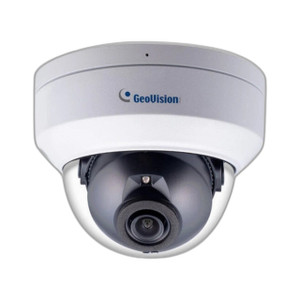
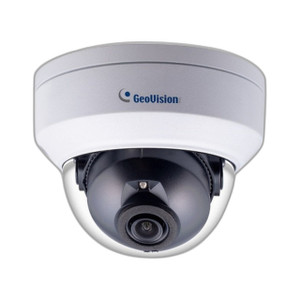
Geovision 84-MFD2700-2F10 2MP Mini Dome Camera
Overview
The Geovision 84-MFD2700-2F10 is a compact 2MP mini dome designed for discreet, cost-effective surveillance in tight ceiling-mount scenarios—retail corridors, office lobbies, stairwells, and small rooms where a full-size dome creates clutter or aesthetic friction. This model prioritizes simplicity and density: 2MP resolution at a 3.8mm fixed lens, WDR Pro processing to handle mixed lighting (bright entrance + dim interior), infrared night vision for 24/7 coverage, and H.265 compression to stretch storage budgets on fixed NVR infrastructure. PoE operation eliminates separate power runs, reducing installation time and material cost per camera.
Compatibility
The 84-MFD2700-2F10 integrates into any standard IP video management system (VMS) supporting ONVIF-compliant cameras. Common platforms include Milestone XProtect, Genetec Security Center, Hanwha SmartVMS, and open-architecture NVRs from manufacturers such as Uniview, Hikvision, and Dahua. PoE compatibility requires a network switch capable of delivering 802.3af power (minimum 13W budget per port). If your switch lacks native PoE, a mid-span injector works; verify your current PoE infrastructure before procurement to avoid downstream power-budget conflicts on multi-camera rollouts.
Installation Notes
Mount to standard ceiling T-bar or drywall using the dome base bracket (verify mounting pattern before installation). Route the ethernet cable through ceiling plenum or conduit—the mini form factor simplifies routing in confined spaces. The camera draws modest power within 802.3af limits, so one PoE port per camera with no stacking or parallel injectors needed. No separate initialization or configuration is required at power-up; the camera negotiates IP address via DHCP on the network. Access the web interface for lens focus adjustment and analytics enable/disable.
What's in the Box
- 1x Geovision 84-MFD2700-2F10 camera unit (dome, lens, IR emitters)
- 1x ceiling mounting bracket with hardware
- 1x ethernet cable (length varies by kit variant)
- 1x quick-start guide