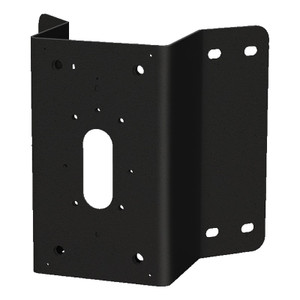
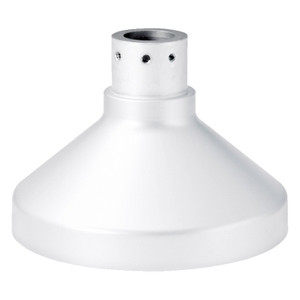
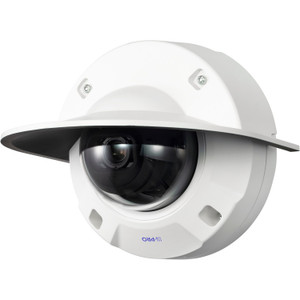
i-PRO WV-QCN500-W Corner Mount Bracket White
The i-PRO WV-QCN500-W is a mechanical corner mount bracket engineered specifically for dome camera installations where building corners and wall intersections demand strategic positioning. This white-finished bracket solves a common integration challenge: securing surveillance cameras at 90-degree corners without compromising angle coverage or structural integrity.
Key Features
- Corner Mount Configuration: Positions dome cameras at building corners and wall intersections — the geometrically critical spots that demand balanced coverage across two adjacent walls or surfaces. Eliminates blind spots where standard wall mounts create angular gaps.
- White Finish: Blends into standard interior and exterior painted surfaces, reducing visual intrusion in retail, office, and warehouse settings where camera conspicuity matters to customers or workspace aesthetics.
- i-PRO Dome Compatibility: Engineered for the i-PRO dome form factor lineup, ensuring mechanical alignment and load rating without improvisation or aftermarket adapters.
- Mechanical Bracket Design: Purpose-built steel or aluminum construction delivers reliable long-term positioning without motorized drift — critical in high-traffic areas where vibration or thermal cycling could otherwise cause camera tilt over months of operation.
- Professional Installation Grade: Designed for integrators and installers who need repeatable, code-compliant mounting solutions backed by OEM engineering rather than field-improvised workarounds.
- Secure Fastening: Fixed mount architecture eliminates pan/tilt adjustments post-installation, reducing ongoing maintenance and ensuring coverage footprint remains consistent for forensic and compliance purposes.
Integration & Compatibility
The WV-QCN500-W (often searched as WV QCN500 W) mounts exclusively with i-PRO IP cameras in the dome form factor. Verify your specific dome model's mounting footprint against the bracket's interface before ordering — corner mounts are not interchangeable across manufacturers due to load-bearing and stress distribution requirements unique to each vendor's dome weight and center-of-gravity design.
This bracket is a passive mechanical component. It does not provide electrical power, cabling, or networking — those are handled by your PoE switch, network cabling, and camera firmware. Plan your corner installation alongside a structured cabling strategy to avoid visible drops or pinched cables at the corner intersection.
Ideal Deployment Scenarios
Retail Environments: Corners of sales floors, checkout areas, and merchandise sections benefit from balanced dual-wall coverage without angular dead zones typical of single-wall mounts.
Warehouses & Logistics: Corner posts and wall intersections in racking areas, receiving docks, and cross-aisles demand corner-specific geometry to capture traffic and inventory movement across both planes simultaneously.
Office & Facility Security: Hallway intersections, lobby corners, and exterior building corners require strategic positioning that a corner bracket delivers more effectively than standard ceiling or single-wall alternatives.
Load-Bearing Consideration: Confirm the bracket's load rating against your specific dome camera's weight — typically 2–5 lbs for compact domes, but verify the WV-QCN500-W datasheet for exact limits before finalizing your camera selection.
Frequently Asked Questions
Q: Will the WV-QCN500-W work with non-i-PRO dome cameras?
A: No. Corner mount brackets are OEM-specific due to load-bearing geometry and fastener placement. Using this bracket with a competitor's dome risks mechanical failure or misalignment. Stick with i-PRO domes engineered for this bracket.
Q: Can I mount the WV-QCN500-W on an interior dry-wall corner or only on masonry?
A: The bracket itself is agnostic to substrate, but your fastening method must match the installation surface. Drywall requires toggle bolts or heavy-duty anchors rated for your camera's combined weight. Masonry, concrete, or wood allow direct bolting. Consult the bracket's installation guide for torque specs and anchor types.
Q: Does the white finish require special cleaning or maintenance?
A: White powder-coat or paint finishes are standard and require only periodic dusting. Avoid abrasive cleaners on outdoor installations where UV exposure may thin the coating over 3–5 years. Indoor white brackets typically remain factory-finish stable indefinitely.
Q: Will this bracket support a motorized PTZ dome or only fixed domes?
A: Corner mounts are designed for fixed-angle domes. PTZ cameras require full pan/tilt range and are incompatible with corner brackets due to mechanical constraints. If you need corner coverage with pan/tilt capability, consider two fixed domes on adjacent walls instead.
Q: What tools do I need to install the WV-QCN500-W?
A: Standard installation typically requires a power drill, concrete anchors or fasteners appropriate to your wall type, a wrench or hex key for the camera-to-bracket interface, and a level to ensure horizontal/vertical alignment. Specific fastener specs and torque requirements are in the installation documentation.
Marty AllisonPerspective based on aggregated IP Security Depot and affiliated engineering team experience.
The WV-QCN500-W corner bracket is a straightforward mechanical solution that works because it acknowledges a basic geometry problem integrators run into constantly: standard single-wall mounts create angular dead zones at building corners. This bracket addresses that by positioning the dome at the intersection itself, allowing balanced coverage across two surfaces simultaneously. That's not flashy, but it eliminates a common re-work conversation six months post-deployment.
Technical Highlights:
- Corner Geometry: Designed specifically for 90-degree wall intersections, eliminating the coverage gaps that occur when you try to cover two perpendicular surfaces with a single wall-mounted dome. This means fewer blind spots and more coherent forensic video across corner areas.
- White Finish: Powder-coat or painted white integrates into standard interior/exterior painted environments, reducing the visual intrusion factor in customer-facing retail or office spaces where visible security hardware can create friction.
- i-PRO OEM Engineering: Load rating and fastener geometry are validated for i-PRO domes — don't improvise with third-party domes. The bracket's stress distribution is specific to i-PRO dome weight and center-of-gravity design.
Deployment Considerations:
- Verify your specific i-PRO dome model's weight and mounting footprint against the bracket's interface — corner mounts are not universal, and mechanical fit must be confirmed before ordering.
- Substrate matters: interior drywall corners require proper anchors rated for combined dome and bracket weight; masonry or concrete allows direct bolting. Don't skimp on fasteners — a falling camera creates liability and forensic gaps.
- Plan your cabling path early. Corners often have limited conduit or cable tray space, and pinched or kinked cables at the intersection create both safety hazards and potential video artifacts if strain causes connector micro-movements.
- This is a fixed mount — no pan/tilt adjustment post-installation. Get your angle right during commissioning because tweaking later requires unmounting and re-fastening.
The WV-QCN500-W makes sense for retail corners, warehouse racking intersections, and facility perimeters where corner coverage geometry actually maps to your coverage plan. If you're just mounting a dome on a wall that happens to be near a corner, a standard wall bracket is simpler and cheaper. But if you need balanced dual-surface coverage at the corner itself, this bracket eliminates the improvisation and delivers repeatable OEM-backed positioning. Deploy it on i-PRO domes only, and plan your fastening strategy around your specific wall type.