




Overview
SKU:
UXG-MAX
Condition:
New
Availability:
Usually ships in 24 hours
Warranty
Manufacturer Warranty
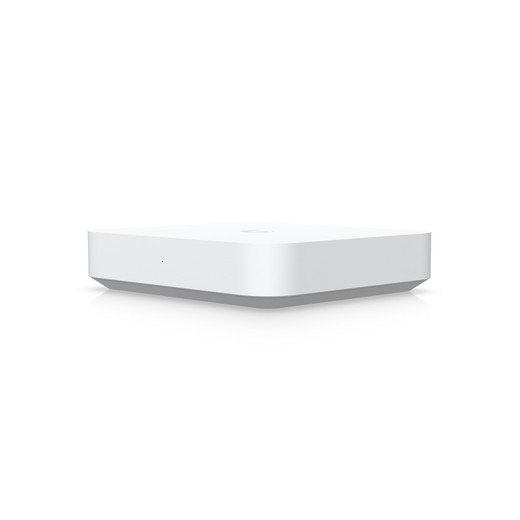
Ubiquiti UXG-MAX multi-WAN gateway with 2.5 GbE support
Ubiquiti UXG-MAX Next-Gen Gateway Overview The Ubiquiti UXG-MAX (MPN: UXG-MAX) is a compact multi-WAN gateway designed for enterprise and mid-market …

Ubiquiti UXG-MAX multi-WAN gateway with 2.5 GbE support
$232.99
Your recommended setup
Review items below — quantities update pricing automatically.
Item
Qty
Status
Price
Optional Add-Ons recommended
Services optional
Bundle Summary
Bundle Subtotal:
$0.00
Optional Add-Ons:
$0.00
Services:
$0.00
Total:
$0.00
Overview
SKU:
UXG-MAX
Condition:
New
Availability:
Usually ships in 24 hours
Warranty
Manufacturer Warranty
Description

Ubiquiti UXG-MAX Next-Gen Gateway
Overview
The Ubiquiti UXG-MAX (MPN: UXG-MAX) is a compact multi-WAN gateway designed for enterprise and mid-market network deployments requiring advanced threat detection and consolidated edge routing. Built on the UniFi Next-Gen platform, this device consolidates gateway, security appliance, and routing functions into a desktop form factor, delivering 2.3 Gbps IDS/IPS throughput while maintaining efficient power consumption at 9.6W maximum draw. The UXG-MAX serves as a unified control point for multi-WAN failover scenarios and advanced firewall policies across distributed office and branch locations.
Key Features
The UXG-MAX provides five 2.5 Gigabit Ethernet ports with support for up to four WAN connections, enabling redundant internet paths and load-balancing across multiple carriers or service tiers. Management is delivered through standard Ethernet connectivity, Bluetooth pairing for initial setup, or integration with the UniFi Cloud Controller and on-premises controller options. LED indicators provide real-time operational status without requiring dashboard access. The compact desktop chassis accommodates installation in wiring closets, branch offices, and small remote sites where rack space is limited.
Deployment Scenarios
This gateway excels in branch office consolidation where a single UXG-MAX replaces separate routing, firewall, and threat detection appliances. Multi-WAN deployments leverage the four available WAN ports for carrier diversity, automatic failover, and traffic steering policies. Organizations implementing zero-trust network architectures benefit from the integrated IDS/IPS functionality, which inspects traffic at 2.3 Gbps without requiring external security appliances. The device also supports VPN aggregation for site-to-site and remote-access scenarios.
Network Integration
The UXG-MAX integrates seamlessly with existing UniFi switching, wireless, and camera infrastructure through the shared controller platform. Native support for the UniFi ecosystem enables policy synchronization, centralized logging, and unified threat intelligence across the entire network. The Ubiquiti UXG-MAX can operate standalone or within a multi-device deployment, with routing and security policies synchronized via the controller. DNS filtering, VLAN enforcement, and dynamic traffic policies coordinate across LAN and WAN edges.
Installation Notes
Initial setup is simplified through Bluetooth pairing or direct Ethernet provisioning. The device requires a standard 12V power supply and occupies minimal desk or shelf space. Network administrators should plan WAN circuit connections to the designated ports, configure failover preferences, and establish controller connectivity before deploying threat detection rules. The UXG-MAX ships ready for immediate deployment once powered and provisioned through the UniFi interface.
Eden Phillips, Infrastructure Specialist
"The UXG-MAX fills a genuine gap for organizations outgrowing simple edge routers but lacking space or budget for traditional data center-class gateways. Unlike oversized appliances, the Ubiquiti UXG-MAX delivers enterprise IDS/IPS at the branch without consuming excess power or real estate. I've deployed this across multi-location clients, and the multi-WAN port density solves carrier redundancy problems that typically require additional hardware. The MPN UXG-MAX is a straightforward choice for teams already standardized on UniFi; the learning curve is minimal and the threat detection depth is production-ready."
Specifications
Form Factor:
Compact desktop
Management:
Ethernet, Bluetooth, Cloud/on-premises controller, LED indicators
Ports:
5 (2.5 GbE); 4 WAN ports maximum
Power_Budget:
9.6W max consumption
Speed:
2.5 Gigabit Ethernet
Throughput:
2.3 Gbps IDS/IPS
Have Questions?
Ask an Expert.
RELATED PRODUCTS
System Design, Deployment & Technical Support
Support services and planning resources for commercial surveillance, access control, and infrastructure deployments.
Fixed scope • Fixed price
System Design Assistance
- Get help validating product compatibility
- Coverage requirements
- Storage planning and deployment architecture before you buy.
Deployment & Configuration Support
- Access fixed-scope support for rollout planning
- User setup guidance
- Migration and system standardization across single-site or multi-site deployments
Guides, Tools & Calculators
- PoE requirements
- Storage retention
- Camera selection and deployment methodology