


Overview
SKU:
RMC
Condition:
New
Availability:
Usually ships in 24 hours
Warranty
2-Year Manufacturer Warranty
Write a Review

Write a Review
Speco Technologies
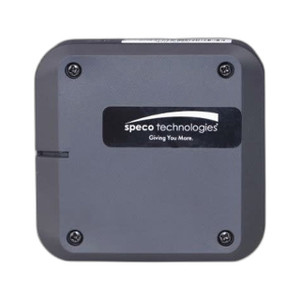
Speco Technologies RMC Remote Management Console 1 site
Speco Technologies RMC Remote Management Console 1 site
Speco Technologies RMC Remote Management Console Overview The Speco Technologies RMC (Remote Management Console) is a centralized management platform…

Speco Technologies RMC Remote Management Console 1 site
$141.99
Your recommended setup
Review items below — quantities update pricing automatically.
Item
Qty
Status
Price
Optional Add-Ons recommended
Services optional
Bundle Summary
Bundle Subtotal:
$0.00
Optional Add-Ons:
$0.00
Services:
$0.00
Total:
$0.00
Overview
SKU:
RMC
Condition:
New
Availability:
Usually ships in 24 hours
Warranty
2-Year Manufacturer Warranty
Description

Speco Technologies RMC Remote Management Console
Overview
The Speco Technologies RMC (Remote Management Console) is a centralized management platform designed for multi-site IP security deployments. This console solution enables security integrators and IT managers to monitor, configure, and manage distributed IP camera systems from a single interface, reducing deployment complexity and operational overhead across enterprise and mid-market security infrastructures.
Key Features
- Centralized remote management across multiple IP security sites
- Single-point-of-control interface for distributed camera networks
- Real-time monitoring and system status visibility
- Remote configuration and device management capabilities
- Support for heterogeneous IP camera ecosystems
- Web-based access for remote administration
Integration & Compatibility
The RMC integrates with standard ONVIF-compliant IP cameras and security devices, making it suitable for mixed-vendor deployments. The console communicates over standard IP networks, supporting both local area network (LAN) and wide area network (WAN) connectivity for geographically dispersed installations. This flexibility allows security integrators to deploy the RMC across varied network topologies without requiring proprietary infrastructure changes.
Deployment and Administration
The Speco Technologies RMC is positioned as a management layer for organizations requiring centralized oversight of multiple IP security systems. Its web-based interface eliminates the need for specialized client software on technician workstations, simplifying access provisioning and reducing deployment friction. Remote access capabilities enable system administrators and security personnel to respond to incidents and perform routine maintenance without site visits, particularly valuable for integrators managing geographically dispersed customer installations.
The RMC architecture supports scalable deployments ranging from small multi-site operations to larger security networks. Configuration, firmware updates, and system diagnostics can be performed remotely, reducing operational costs and improving mean-time-to-resolution for system issues.
Use Cases
Security integrators deploying the RMC typically serve multi-location customers such as retail chains, hospitality groups, manufacturing facilities with distributed campuses, and government agencies requiring unified security oversight. The console is equally applicable for integrators managing their own service and support operations across multiple customer sites, enabling them to monitor system health and performance KPIs from a central operations center.
Ted Perry
The Speco Technologies RMC addresses a specific operational pain point in multi-site deployments: eliminating the need for technicians to visit each location or maintain separate management interfaces for different customer systems. From a deployment planning perspective, the RMC simplifies the architecture for integrators managing 5 or more distributed sites by providing unified visibility and control.
Technical Highlights:
- Centralized Architecture: Single management point for multiple IP security sites reduces administrative overhead and improves response times to system alerts.
- ONVIF Compatibility: Support for standards-based IP cameras enables mixed-vendor deployments without vendor lock-in.
- Web-Based Administration: Browser-accessible console eliminates software licensing and deployment complexity across technician workstations.
Deployment Considerations:
- Network bandwidth planning is essential—consolidating video streams and management traffic from multiple sites through a central console requires adequate WAN capacity and quality-of-service configuration.
- The RMC should be deployed in a physically and logically secure environment, isolated from general user networks via VLAN segmentation or dedicated security network segments.
- For business continuity, consider redundancy options such as failover appliances or cloud-hosted instances depending on customer risk profiles.
The RMC is particularly effective for integrators who bill on a managed-services model, as it provides the visibility needed to proactively monitor customer system health and generate performance reports. It is a practical solution for growing integration shops transitioning from site-specific management to centralized operations.
Specifications
Warranty:
2-Year Manufacturer Warranty
Have Questions?
Ask an Expert.
RELATED PRODUCTS



System Design, Deployment & Technical Support
Support services and planning resources for commercial surveillance, access control, and infrastructure deployments.
Fixed scope • Fixed price
System Design Assistance
- Get help validating product compatibility
- Coverage requirements
- Storage planning and deployment architecture before you buy.
Deployment & Configuration Support
- Access fixed-scope support for rollout planning
- User setup guidance
- Migration and system standardization across single-site or multi-site deployments
Guides, Tools & Calculators
- PoE requirements
- Storage retention
- Camera selection and deployment methodology