
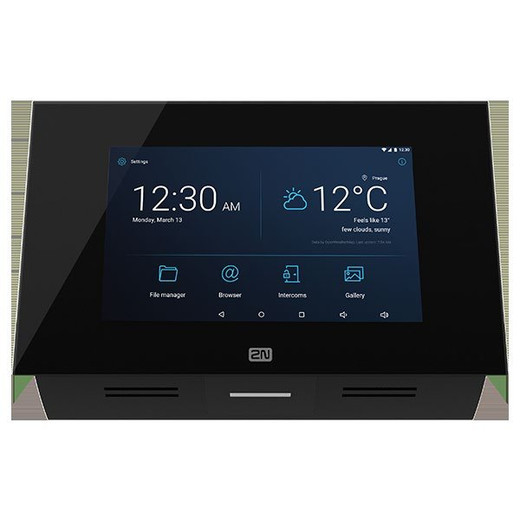



Product images are provided for reference and may not represent the exact model, configuration, or included
components.
Overview
SKU:
01425-001
UPC:
8595159511450
Condition:
New
Availability:
Usually Ships in 24 Hours
Warranty
3-Year Warranty

2N Stand for Indoor Touch 2.0, Black
2N Stand for Indoor Touch 2.0, Black The 2N Stand for Indoor Touch 2.0 (SKU: 01425-001) is a purpose-built accessory designed to optimize the deployme…

2N Stand for Indoor Touch 2.0, Black
$133.99
Your recommended setup
Review items below — quantities update pricing automatically.
Item
Qty
Status
Price
Optional Add-Ons recommended
Services optional
Bundle Summary
Bundle Subtotal:
$0.00
Optional Add-Ons:
$0.00
Services:
$0.00
Total:
$0.00
Overview
SKU:
01425-001
UPC:
8595159511450
Condition:
New
Availability:
Usually Ships in 24 Hours
Warranty
3-Year Warranty
Description
2N Stand for Indoor Touch 2.0, Black
The 2N Stand for Indoor Touch 2.0 (SKU: 01425-001) is a purpose-built accessory designed to optimize the deployment and presentation of the 2N Indoor Touch 2.0 intercom device. This black stand delivers professional positioning and cable management in a compact, aesthetically refined package ideal for office lobbies, reception areas, and building access points.
Key Features
- Adjustable Angle Positioning – Tilt and orient the Indoor Touch 2.0 to achieve optimal viewing and interaction angles for varied mounting locations and user heights
- Integrated Cable Management – Conceals and routes cables cleanly, eliminating clutter and maintaining a professional installation appearance
- Stable Support Structure – Provides robust, secure positioning that holds the device steady in high-traffic environments
- Sleek Black Finish – Contemporary design complements modern interiors and blends seamlessly with office and building aesthetics
- Purpose-Built Compatibility – Engineered specifically for the 2N Indoor Touch 2.0 for optimal fit and performance
Technical Highlights
- Product Type: Stand for 2N Indoor Touch 2.0
- Color: Black
- Adjustable Angle: Yes
- Cable Management: Yes
Applications
Ideal for corporate offices, building lobbies, reception desks, access control points, and any installation requiring flexible device positioning and professional cable organization.
Package Contents
- 1x 2N Stand for Indoor Touch 2.0
Specifications
Product Type:
Stand for 2N Indoor Touch 2.0
Color:
Black
Adjustable Angle:
Yes
Cable Management:
Yes
Dimensions:
[Specify Dimensions if available]
Have Questions?
Ask an Expert.
RELATED PRODUCTS


System Design, Deployment & Technical Support
Support services and planning resources for commercial surveillance, access control, and infrastructure deployments.
Fixed scope • Fixed price
System Design Assistance
- Get help validating product compatibility
- Coverage requirements
- Storage planning and deployment architecture before you buy.
Deployment & Configuration Support
- Access fixed-scope support for rollout planning
- User setup guidance
- Migration and system standardization across single-site or multi-site deployments
Guides, Tools & Calculators
- PoE requirements
- Storage retention
- Camera selection and deployment methodology